
Tag: Search Engine Optimization

  • Digital Marketing Course for Beginners: Complete Guide

    Digital Marketing Course for Beginners: Complete Guide

    Digital Marketing Course for Beginners: Complete Guide

    Choosing a digital marketing course for beginners may seem simple at first, but comparing different programmes can be confusing. Some courses are free, while others require a significant investment. Depending on the programme, students may receive certificates, practical training, job placement assistance, or a combination of these benefits. However, many digital marketing course descriptions sound similar, making it difficult to choose the right one.

    This guide will help you understand digital marketing, explore the topics covered in a beginner-level course, and learn how to evaluate a programme before enrolling. You will also discover typical course fees in India and understand the importance of digital marketing certificates. By the end, you will have a clear plan to begin your digital marketing journey.

    What Is Digital Marketing?

    Understanding Digital Marketing in Simple Words 

    Digital marketing is a way for businesses to promote their products and services using online platforms. Companies can share product information, attract potential customers, and receive enquiries through websites, social media, email, and other digital channels.

    Unlike traditional advertising methods such as newspapers, television, banners, and posters, online promotion allows businesses to reach people through platforms they regularly use. They can also monitor website visits, customer interactions, and sales to understand how their marketing activities are performing.

    A digital marketing course for beginners helps learners understand these promotional methods and develop the skills needed to use different online marketing platforms.

    Why beginners are drawn to it

    There are a few reasons people start learning digital marketing.

    • No Specific Educational Background Required: People from different educational backgrounds can explore this field. Learning basic computer skills, understanding online platforms, and gaining practical experience can help you get started.
    • Many career paths: Roles range from analytical to creative, so there is room for different personalities.
    • Flexible work options: Many marketers work remotely, freelance, or run campaigns for their own small businesses.
    • Skills that transfer: A shop owner, a nonprofit volunteer, and a recent graduate can all use the same skills.

    The field is also crowded with hype. Nobody learns it in a weekend, and no course can promise you a particular salary. What it can give you is a solid foundation and a way to build real experience.

    The Core Areas of Digital Marketing
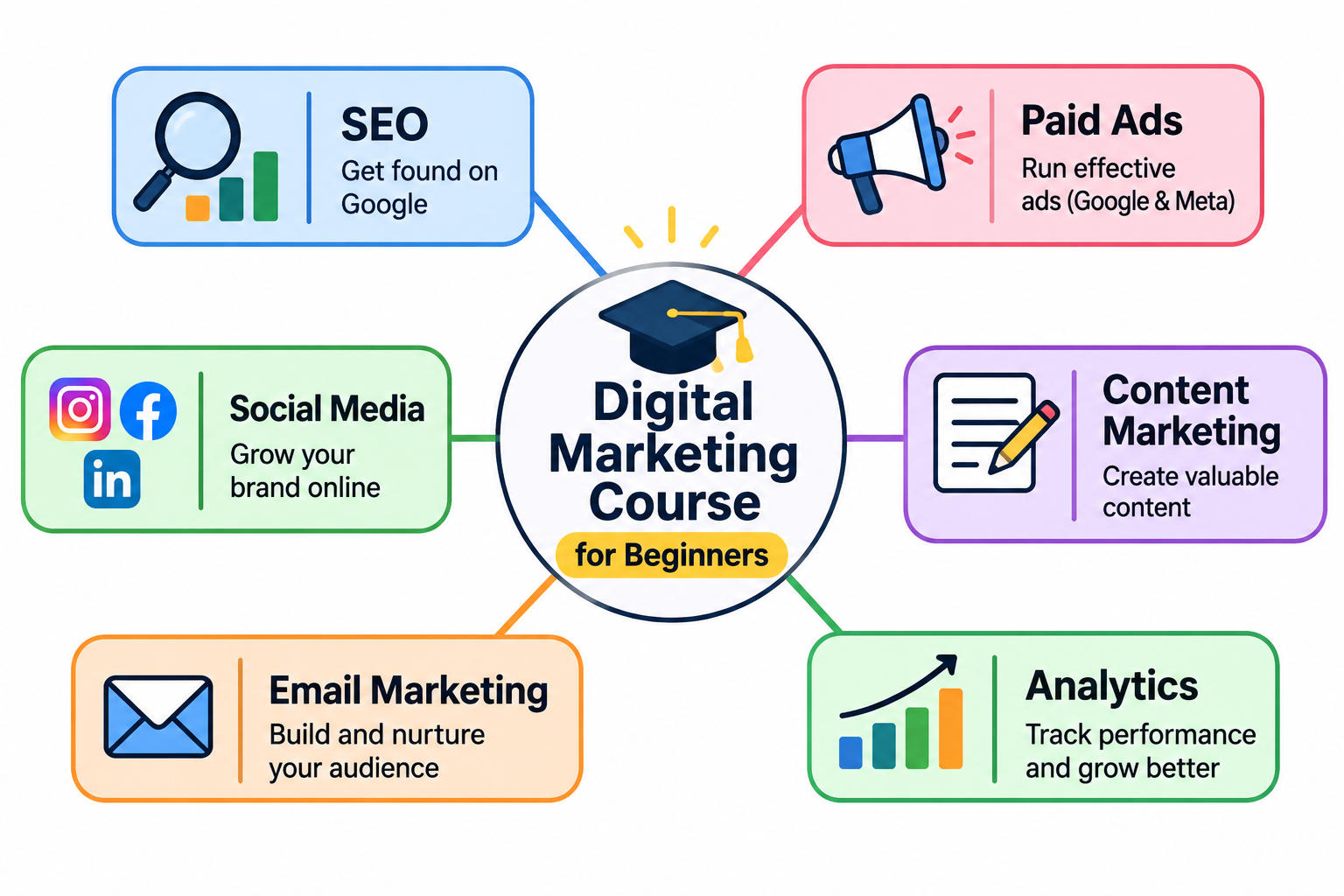
    Digital marketing course for beginners covering SEO, paid ads, social media, content marketing, email marketing and analytics. The six essential areas of digital marketing include SEO, paid advertising, social media, content marketing, email marketing and analytics.

    Before you compare courses, you need a map of the territory. Most beginner programmes cover the six areas below. Knowing them will help you judge whether a syllabus is complete.

    Search Engine Optimisation (SEO)

    SEO involves improving different parts of a website so that it has a better chance of appearing in relevant Google search results. It helps people discover useful website content when they search for related information, products, or services.

    Paid Advertising

    Paid advertising is a method businesses use to promote their products or services by investing money in online campaigns. These promotions can be displayed on Google search pages, social media feeds, and different websites. In many advertising platforms, businesses pay when a user clicks on their advertisement. This is known as the Pay-Per-Click (PPC) model.

    One benefit of paid campaigns is that they can bring visitors to a website within a short period. Advertisers can also set spending limits, monitor campaign expenses, and check how much they spend to attract potential customers.

    Social Media Marketing

    Social media marketing focuses on using platforms like Instagram, Facebook, LinkedIn, YouTube, and X to promote a brand and interact with its audience. The work involves creating content, preparing captions, managing comments, sharing updates, and checking account performance.

    Simply uploading pictures or videos is not enough to achieve good results. Marketers need to understand their target audience, identify the type of content people enjoy, and plan activities that encourage engagement, enquiries, or sales.

    Content marketing

    Content marketing uses useful material, such as blog posts, videos, podcasts, guides, and newsletters, to attract and keep an audience. Instead of interrupting people with an ad, you offer something worth their time. This area overlaps heavily with SEO. Good content gives search engines something to rank and gives readers a reason to stay.

    Email Marketing

    A company can use email newsletters to share useful updates with people who have subscribed to receive them. These messages may contain product announcements, special deals, helpful tips, or information about upcoming services. Businesses can also divide their subscribers into different groups and send messages that match their interests. This makes email a useful tool for customer retention and repeat business.

    Analytics and reporting

    Analytics helps marketers understand the results of their online campaigns. Platforms such as Google Analytics provide information about website visitors, their activities, traffic sources, and completed actions. For example, when a visitor purchases a product, registers for a service, or submits a form, it is known as a conversion.

    Learning to understand these reports is an important part of digital marketing. By checking website performance regularly, marketers can identify changes in visitor behaviour, find areas that need improvement, and make better decisions for future campaigns.

    What Will You Learn in a Digital Marketing Course for Beginners?

    The subjects covered in a digital marketing programme depend on the institute and its syllabus. However, most beginner-level programmes introduce students to important marketing concepts, online promotional methods, and practical activities. The aim is to help learners understand how digital platforms are used to promote businesses.

    Marketing Basics: Understanding Customers and Business Goals

    Before learning individual marketing tools, students need to understand the purpose behind an online campaign. This includes identifying the people a business wants to reach, understanding their needs, and deciding what the campaign should achieve.

    For example, a business may want to increase website visitors, receive more customer enquiries, or gain new subscribers. Students learn how to set clear targets and plan marketing activities around those requirements.

    Channel modules

    Next come the channels covered above. A solid beginner curriculum usually includes:

    • Keyword research and on-page SEO basics
    • Setting up and managing a simple paid ad campaign
    • Planning a social media calendar
    • Writing for the web, including headlines and calls to action
    • Building an email list and writing a basic sequence
    • Reading website and campaign reports

    The course does not need to make you an expert in each one. At this stage, the goal is literacy: understanding how each channel works and how they support each other.

    Tools you will likely use

    Tool training varies, but beginners commonly work with:

    • Google Analytics for website data
    • Google Search Console to see how a site appears in search
    • Google Ads or Meta Ads Manager for paid campaigns
    • An email platform such as Mailchimp or similar
    • A scheduling tool for social posts
    • Canva or a comparable design tool for simple graphics

    Do not worry if a course uses different software. The concepts carry over, and tools change often.

    Projects and practice

    This is the part that separates useful courses from passive ones. Look for assignments where you create something: a keyword plan for a real website, a mock ad campaign, a content calendar, or an email sequence. These become portfolio pieces later.

    If a course consists only of videos and quizzes, you will finish knowing vocabulary but not how to use it.

    How to Evaluate Digital Marketing Course Options

    Once you know what a good course covers, you can compare programmes with more confidence. Use the checks below.

    Read the full syllabus, not the sales page.

    Sales pages describe outcomes. Syllabi describe content. Look for a week-by-week or module-by-module outline and check it against the six core areas. Missing analytics is a warning sign, since it is the skill that proves your work is effective.

    Also check how current the material is. Digital marketing changes quickly. Ask when the course was last updated, and be cautious if the examples reference platforms or features that no longer exist.

    Look into the instructor.

    Who teaches the course? Ideal instructors have worked in the field and can show real campaigns or results. A polished presenter with no practical background is a weaker choice than a working marketer who explains things plainly.

    Search for the instructor’s profile on LinkedIn. See what they have done outside of teaching.

    Check for hands-on work and feedback.

    Ask whether you will complete practical assignments and whether anyone reviews them. Feedback matters because beginners cannot always see their own mistakes. A mentor, instructor, or active community can fill that gap.

    Find independent reviews and outcomes.

    Testimonials on a course’s own website are curated. Look for reviews on third-party platforms, forums, and social media. Pay attention to specifics: what did students build, what did they find missing, and how did they use the course afterwards?

    Be careful with job placement claims. Ask how the figure is calculated, who is counted, and over what period. A vague “90% of graduates get hired” is not much use without those details.

    Know the red flags.

    • Guaranteed income or guaranteed jobs
    • Pressure to enrol today because a discount is about to expire
    • No visible instructor information
    • No sample lessons or refund policy
    • Promises that you will master everything in a few days

    A trustworthy provider is comfortable answering questions before you pay.

    Digital Marketing Course Fees: What to Expect
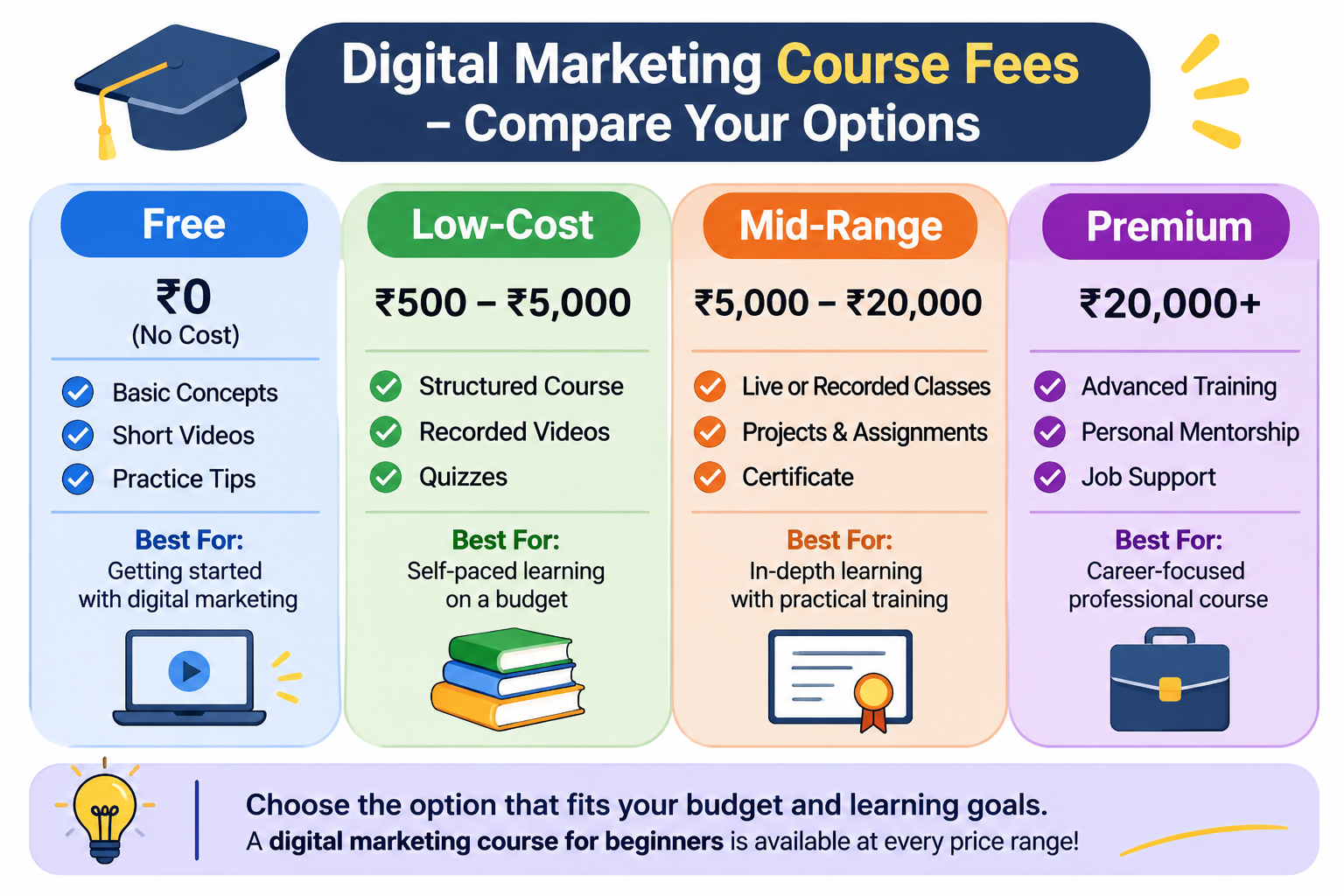
    Digital marketing course for beginners comparing free, low-cost, mid-range and premium course fees. Comparison of free, low-cost, mid-range and premium digital marketing courses based on fees, features and learning benefits.

    Cost is where many beginners get stuck, and it is reasonable to compare digital marketing course fees carefully. The range is wide, and a higher price does not always mean better teaching.

    Typical fee ranges

    Fees vary by format and provider, so treat the figures below, shown in Indian rupees (โ‚น), as rough orientations rather than quotes.

    • Free: Many platforms and software companies offer introductory training at no cost. We cover these below.
    • Low cost (roughly โ‚น500 to โ‚น5,000): Self-paced courses on learning marketplaces, often sold on sale. Quality ranges from excellent to thin.
    • Subscription-based (โ‚น1,500 to โ‚น5,000 per month): Platforms that bundle many courses and professional certificate programmes. Your total cost depends on how fast you finish.
    • Mid-range (โ‚น15,000 to โ‚น75,000): Structured online programs, often with instructor support, projects, and a completion certificate. Many Indian institutes fall in this range, depending on the city and the institute.
    • Premium (โ‚น150,000 and above): University-affiliated programmes, intensive bootcamps, and long diploma courses with mentoring and career services.

    International platforms may list prices in dollars or adjust them for India, so check the current rupee price, including GST, before you pay. Local institutes can charge very differently from one another, so ask for a written fee breakdown.

    What influences the price?

    Several factors explain why two similar-sounding courses can differ so much.

    • Duration and depth. A four-week overview costs less than a six-month diploma.
    • Live instruction. Real-time classes with a teacher cost more than recorded lessons.
    • Mentoring and feedback. Personal review of your work takes human time.
    • Brand and affiliation. A university or well-known institution adds to the price.
    • Career services. Resume reviews, interview practice, and employer introductions are often bundled into higher tiers.
    • Tool access. Some programmes include software licences or ad credits.

    Ask what the fee covers. A higher price is only worth it if you will use the extras.

    Costs people forget to count

    Beyond tuition, you may pay for:

    • Exam or certification fees
    • A domain name and hosting if you want a practice website
    • Small ad budgets for real campaigns
    • Premium tools after a free trial ends
    • Your time, which is the largest cost of all

    Budget for a small practice project. Spending a modest amount on real ads or a simple website teaches more than any lecture.

    Digital Marketing Certificates: What They Are and How Much They Matter

    A digital marketing certificate is a document that confirms you completed a course or passed an assessment. The term covers two quite different things, and the difference affects how much weight the certificate carries.

    Completion certificates and industry certifications

    A certificate of completion shows you finished a course. It proves participation, not mastery, and it is usually awarded by the course provider.

    An industry certification requires passing an exam. Examples include Google’s analytics and advertising certifications and HubSpot’s marketing certifications. Because you must demonstrate knowledge, these carry a little more weight, and many of them are free or low cost.

    Some programmes also offer professional certificates through universities or large platforms. These bundle several courses and usually include projects, which makes them more substantial than a single-course completion certificate.

    How employers actually view them

    Here is the honest answer. A digital marketing certificate helps you get noticed, but it rarely decides a hiring decision on its own.

    Hiring managers tend to care more about what you can show. A small portfolio with a keyword plan, a sample campaign, a blog you have grown, or results from a volunteer project is persuasive evidence. The certificate backs that up and signals that you took the learning seriously.

    Where certificates help most:

    • When you have no experience. They show initiative and basic knowledge.
    • When changing careers. They give your resume a clear line connecting your past to marketing.
    • For specific tools. Platform certifications show you can use software employers rely on.

    Where they help the least: when a certificate is the only thing on your resume and you cannot explain what you learned.

    Before paying for a certificate, ask whether the issuer is recognised in the industry, whether it expires, and whether you can find job postings that mention it.

    Digital Marketing Classes: Online vs. In-Person

    Digital marketing classes come in several formats, and the best one depends on how you learn and what your schedule allows.

    Online classes

    Online classes fall into two groups: self-paced (recorded lessons you complete whenever you like) and live online (scheduled sessions with an instructor and classmates).

    Advantages:

    • Lower cost in most cases
    • Study from anywhere, at any hour
    • Wide choice of providers and specialities
    • Lessons can be replayed

    Drawbacks:

    • Easy to lose momentum without deadlines
    • Less spontaneous interaction
    • Quality varies greatly, so research matters

    Self-paced learning suits disciplined people with unpredictable schedules. Live online classes add structure and a sense of accountability.

    In-person classes

    In-person classes take place at an institute, college, or training centre.

    Advantages:

    • Face-to-face discussion and immediate answers
    • A built-in routine
    • Networking with classmates and instructors
    • Fewer distractions for some learners

    Drawbacks:

    • Usually higher fees
    • Fixed schedules and commuting
    • Limited to what is available in your area
    • Curriculum may lag behind fast-moving platforms

    In-person classes work well if you learn best with people around you, and a local network matters for your job search.

    Blended options and how to choose

    Some providers combine recorded lessons with live sessions or occasional meetups. This can offer the best of both.

    To decide, ask yourself three questions:

    1. Do I stay motivated without a teacher or schedule?
    2. How much can I afford to spend right now?
    3. Do I need local contacts, or will an online community do?

    If you are unsure, start online with a low-cost or free option. You can always move to a more structured format once you know the field suits you.

    Using a Digital Marketing Free Course as a Starting Point

    A digital marketing free course will not replace a full programme, but it can do something just as valuable: help you find out whether you like the work before you spend money.

    Where to find reputable free training

    Several well-known providers offer free material.

    • Google Skillshop and Google Digital Garage offer lessons on analytics, search ads, and the fundamentals of online marketing.
    • HubSpot Academy provides courses and certifications on content, email, and inbound marketing.
    • Meta Blueprint includes free learning paths on advertising across Facebook and Instagram.
    • Semrush Academy and similar tool providers teach SEO and related skills.
    • YouTube channels and marketing blogs from practitioners offer tutorials on specific tasks.
    • Learning platforms often let you audit courses for free, meaning you can view the lessons without paying for the graded work or certificate.

    Availability and terms change, so check each provider’s current offer before you start.

    What free courses can and cannot do

    Free courses are excellent for learning vocabulary, trying tools, and testing your interest. Many are also taught by the companies who build the platforms, so the information is accurate and current.

    They have limits. Free courses are often tied to one company’s products, so the perspective can be narrow. They rarely include personal feedback. And with no money on the line, many people start and never finish.

    A smart way to use free learning

    Treat free courses as a trial period.

    1. Pick one introductory course and finish it within two weeks.
    2. Notice which topics hold your attention. Do you enjoy writing, numbers, design, or advertising?
    3. Try a small practice project, such as promoting a personal blog or a friend’s small business.
    4. Decide whether you want to go deeper and in which area.

    If you complete this and still want to learn more, a paid programme becomes a better investment because you know what you are buying.

    Frequently Asked Questions

    How long does a beginner digital marketing course take?

    Introductory courses can take a few weeks. Broader professional programmes usually run three to six months part-time. Becoming job-ready takes longer, because experience builds through practice.

    Do I need a degree or technical background?

    No. Many marketers come from other fields. Comfort with computers and willingness to learn new tools are enough to begin.

    Is digital marketing a good career for beginners?

    It can be. Demand exists across industries, and entry-level roles such as marketing assistant, social media coordinator, and content writer are common starting points. Results depend on your effort, your portfolio, and your local job market.

    Should I specialise or learn everything first?

    Learn the basics across all areas first. Then pick one or two to deepen, such as SEO, paid ads, or email. Specialists are often easier to hire than generalists, but you need the wider view to choose well.

    Can I learn digital marketing without paying?

    Yes, up to a point. You can build real foundations with free material. Paid programs add structure, feedback, and recognition, which many learners find worth the cost.

    Next Steps: Choosing a Path and Getting Started

    Student following a career roadmap after completing a Digital Marketing Course for Beginners: Complete Guide. Take the next step towards a successful career with a Digital Marketing Course for Beginners: Complete Guide.

    You now have what you need to choose with confidence. Here is a practical way to move forward.

    Step 1: Define your reason.

    Are you looking for a new career, a side income, or skills for your own business? Your answer shapes how much time and money to invest. A business owner may only need a focused course on search and social ads. A career changer may want a broader programme with projects.

    Step 2: Set a budget and a time limit.

    Decide how much you can spend and how many hours per week you can study. Be realistic. Five consistent hours a week beat an ambitious plan that collapses in week two.

    Step 3: Start with a free course.

    Complete one introductory digital marketing free course in the next two weeks. Take notes and keep a list of questions.

    Step 4: Shortlist two or three paid options.

    If you want more depth, compare programmes using the checks above: syllabus, instructor, hands-on work, reviews, fees, and certificate value. Contact each provider with a question and see how they respond.

    Step 5: Build as you learn

    Do not wait until you finish to create something. Start a simple website or blog, run a small email campaign, or manage social accounts for a local business or cause. Save your work and results.

    A simple 30-day plan

    • Week 1: Learn the core areas and choose one to explore first.
    • Week 2: Finish an introductory free course and earn a free certification if available.
    • Week 3: Start a small practice project and track basic results.
    • Week 4: Review what you enjoyed, compare two paid options, and decide on your next step.

    At the end of a month, you will know more than most people who are still comparing options.

    Final thoughts

    Choosing a digital marketing course for beginners does not require a perfect decision. It requires a clear idea of what you want, a realistic budget, and a willingness to practice. Start small, build something real, and let your results guide what you learn next.

    (IMAGE 4)

    Portrait of a digital marketing enthusiast wearing a black hijab.
    Author : Rinshida fathima

    Digital Marketing Freelancer dedicated to boosting brands with SEO, engaging content, and performance-focused online marketing strategies.

    Learner ofย DigiSkillz, Digital Marketing Course in Kochi.

    Freelance Digital Marketer in Vaduthala

  • On-Page SEO: How to Optimize Your Website

    On-Page SEO: How to Optimize Your Website

    ย On-page SEO is one of the most important parts of a successful search engine optimisation strategy. It focuses on improving the elements of your website that you can directly control, including your content, headings, page titles, URLs, images, internal links, and overall page experience.

    When your website is properly optimised, search engines can understand your content more clearly, while visitors can find the information they need more easily. Whether you run a small business website, personal portfolio, online store, or service-based website, learning the basics of on-page SEO can help you build a stronger online presence.

    In this guide, we’ll explore what on-page SEO is, why it matters, the most important optimisation techniques, common mistakes, and a practical checklist you can use when optimising your website.

    What Is On-Page SEO?

    On-page SEO, also called on-site SEO, is the process of optimising individual web pages to improve their visibility in search engine results and provide a better experience for visitors.

    It includes both the visible content on a page and certain HTML elements that help search engines understand the page.

    Important on-page SEO elements include:

    * Page titles
    * Headings
    * Main content
    * Keywords
    * Meta descriptions
    * URLs
    * Images
    * Alt text
    * Internal links
    * Content structure
    * Mobile usability
    * Page experience

    The main goal is to create a page that is relevant, useful, accessible, and easy to understand.

    On-page SEO is different from off-page SEO. Off-page SEO involves activities outside your website, such as earning backlinks and building online authority. Technical SEO focuses more broadly on the technical foundation of your website.

    Why Is On-Page SEO Important?

    Search engines need to understand what every page on your website is about before they can determine when it may be relevant to a search.

    Imagine you have a page about SEO services, but the page has no clear title, poor headings, unclear content, and confusing navigation. Both users and search engines may have difficulty understanding the page.

    Effective on-page SEO helps communicate the purpose of your page clearly.

    It can help you:

    * Improve organic search visibility
    * Attract more relevant visitors
    * Make your content easier to understand.
    * Improve website navigation
    * Support better user experience
    * Increase opportunities for leads and conversions
    * Build a stronger website structure.

    However, on-page SEO should not be treated as a quick trick for achieving rankings. Search engines consider many factors, and simply adding keywords to a page does not guarantee higher rankings.

    The best approach is to create genuinely useful content and optimise it so search engines and users can understand it easily.

    1. Start With Search Intent

    Before writing or optimising a page, understand search intent.

    Search intent is what a person is looking for when they search on Google.

    For example, someone searching for:

    > “What is on-page SEO?”

    is probably looking for educational information.

    Someone searching for:

    > “on-page SEO services”

    may be looking for a professional service.

    Someone searching for:

    > “best SEO tools”

    may be comparing different tools.

    Understanding the intent behind a keyword helps you create content that actually answers what the searcher wants.

    If your content doesn’t satisfy search intent, simply repeating the target keyword won’t make the page useful.

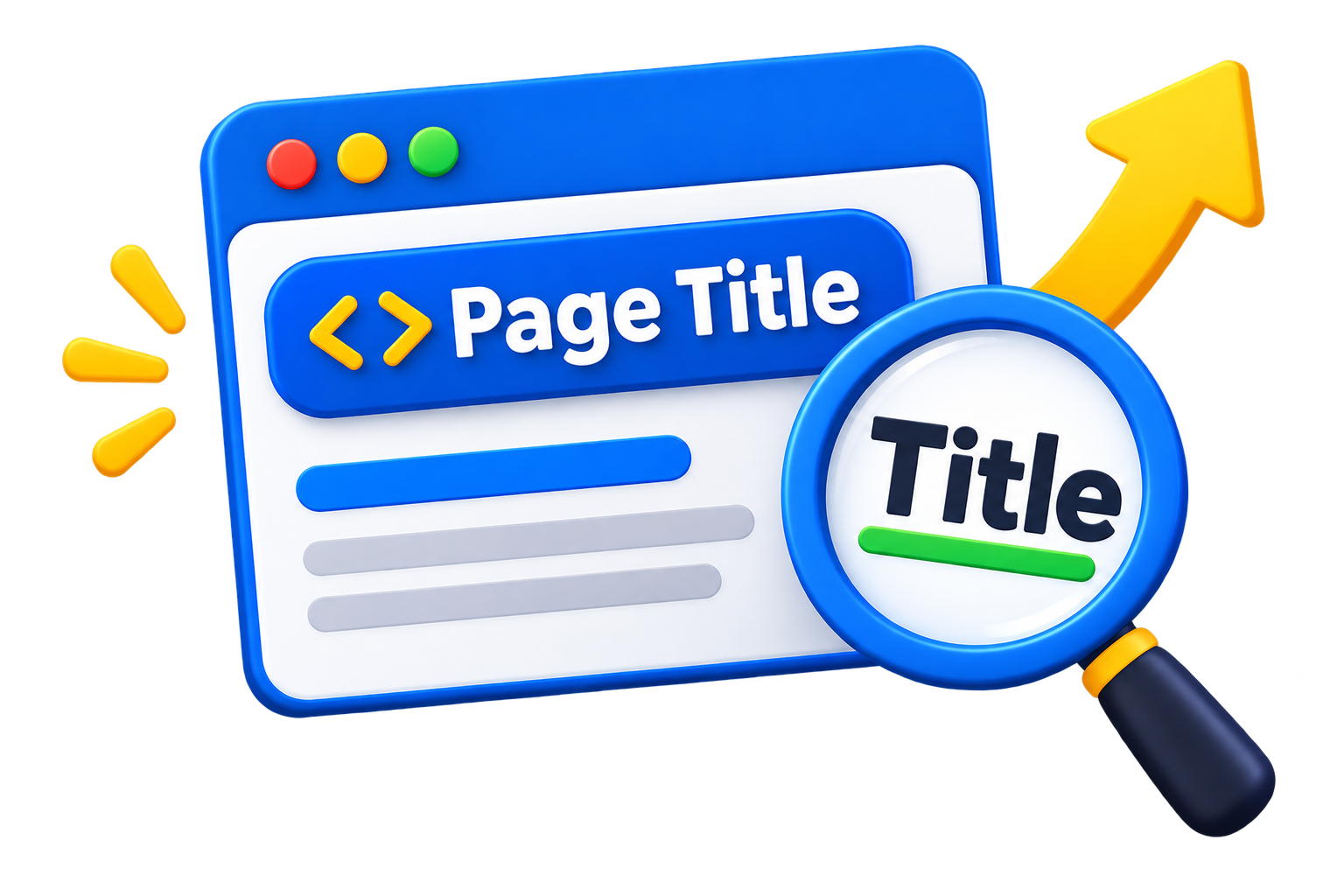
    2. Optimise Your Page Title

    The page title is one of the most important elements of on-page SEO.

    It shows visitors and search engines what the page covers.

    A good page title should be:

    * Clear
    * Specific
    * Relevant
    * Concise
    * Naturally written

    For example, instead of:

    > Services

    You could use:

    > SEO Services for Small Businesses | Arjun Marketer

    For a blog post, you might use:

    > On-Page SEO: A Complete Guide to Website Optimization

    Avoid creating titles that are extremely long, misleading, or stuffed with repeated keywords.

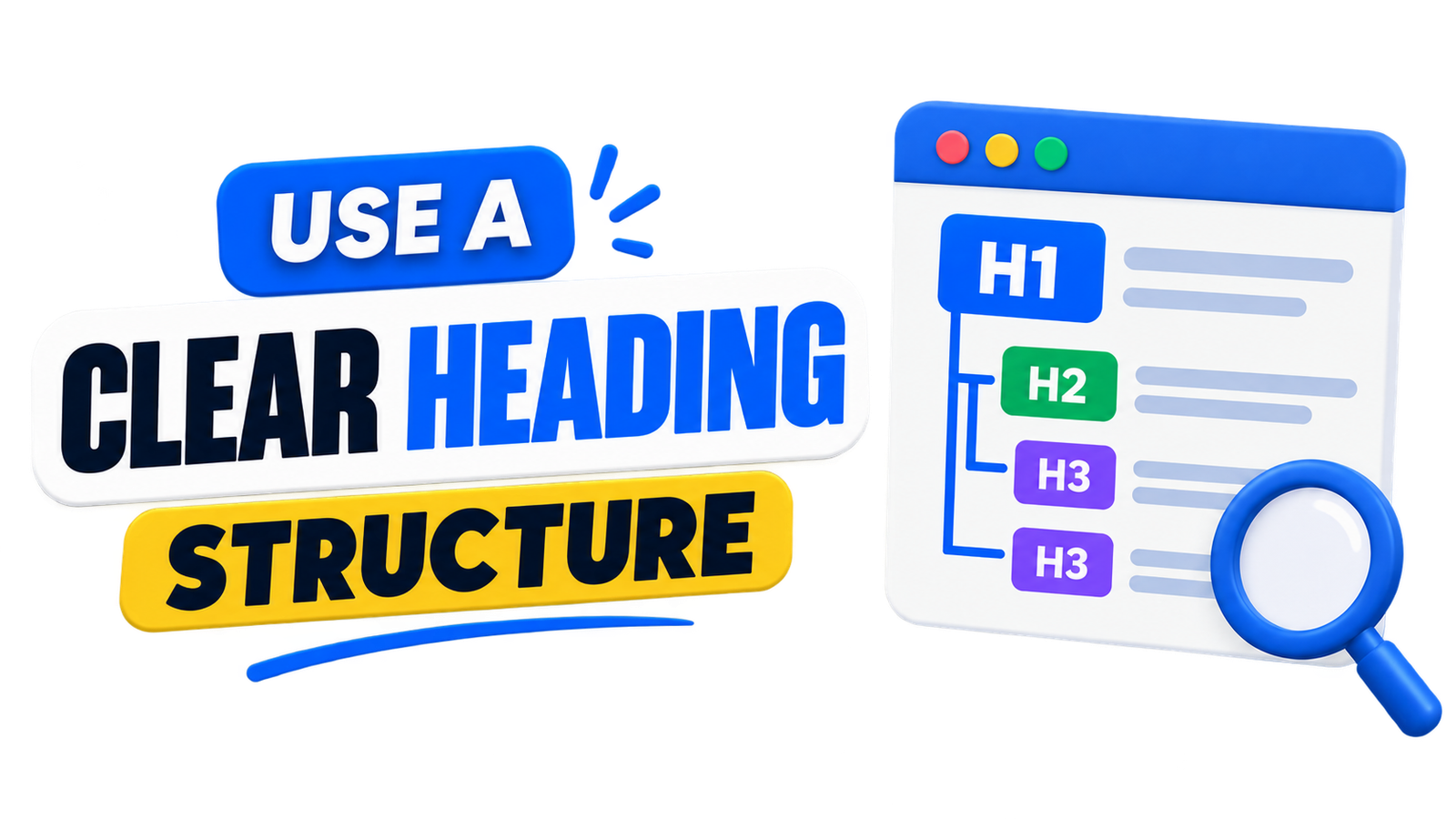
    3. Use a Clear Heading Structure

    Headings help readers quickly understand and navigate your content.

    A well-structured article normally uses one main H1 heading followed by H2 and H3 subheadings where appropriate.

    For example:

    *H1: On-Page SEO: A Complete Guide

    *H2: What Is On-Page SEO?

    *H2: Why Is On-Page SEO Important?

    *H2: Important On-Page SEO Techniques

    *H3: Page Titles

    *H3: Meta Descriptions

    *H3: Image Optimisation

    A clear heading structure improves readability and helps communicate the organisation of your content.

    Don’t add headings just to insert keywords. Every heading should serve a useful purpose.

    4. Create High-Quality Content

    Content is one of the central components of on-page SEO.

    Your content should provide useful information that matches the topic and search intent.

    For example, if you’re writing about local SEO for small businesses, don’t simply repeat the phrase “local SEO” throughout the article.

    Instead, explain:

    * What local SEO means
    * Why it matters
    * How Google Business Profile works
    * How local keywords can be researched
    * How reviews can help businesses
    * How local pages can be optimised
    * Common mistakes businesses should avoid

    This creates a more complete resource for the reader.

    Good content should be original, accurate, useful, and written primarily for people rather than search engines.

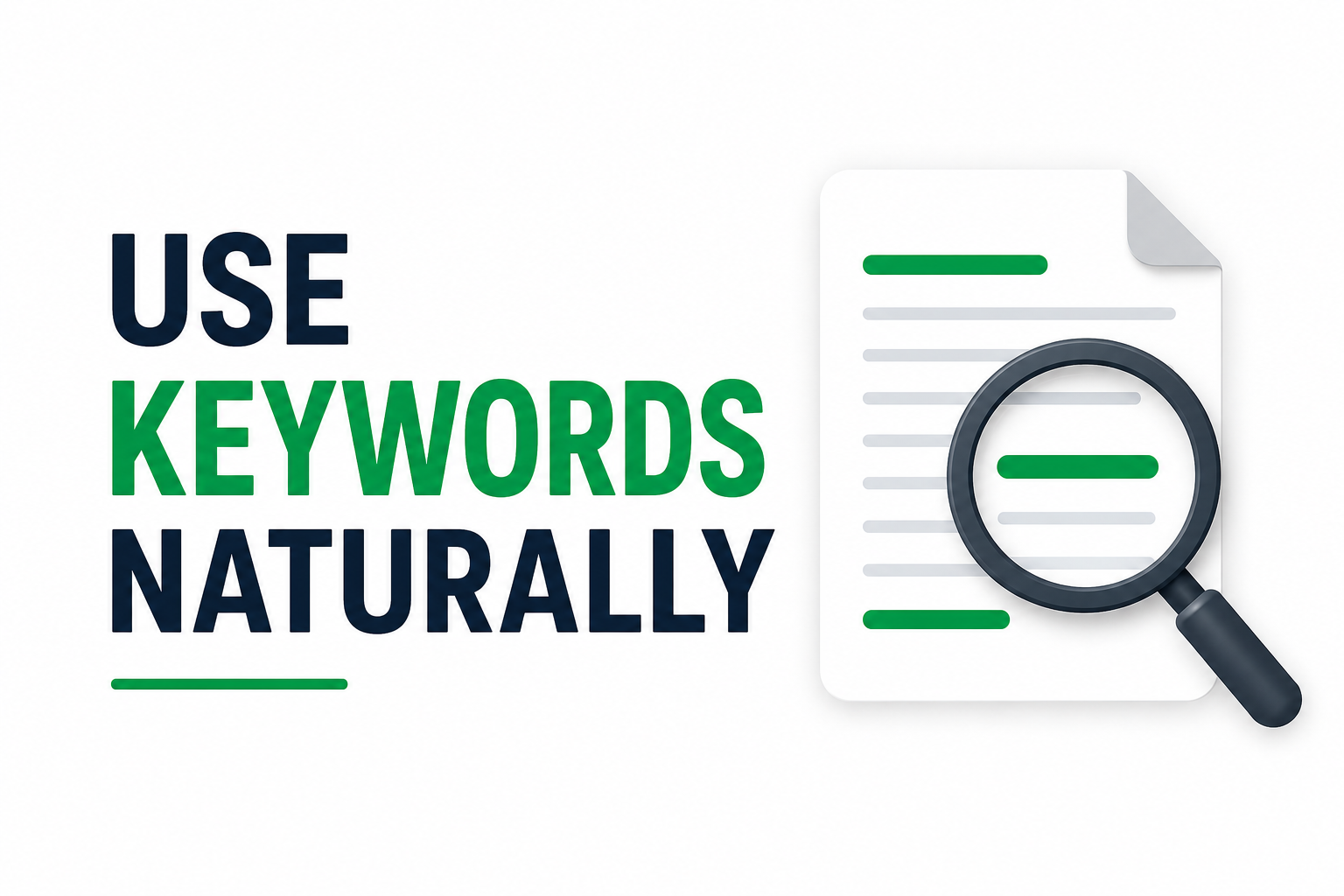
    5. Use Keywords Naturally

    Keywords help search engines identify what your page is about.
    However, modern SEO is not about repeating the same keyword dozens of times.

    Suppose your primary keyword is

    on-page SEO

    You can naturally discuss related concepts such as:

    * Website optimisation
    * SEO content
    * Internal linking
    * Page titles
    * Search engine optimisation
    * Image optimisation
    * Meta descriptions

    Use your primary keyword where it makes sense, including important areas such as the title and main heading, but avoid keyword stuffing.

    If a sentence sounds unnatural because you’re trying to insert a keyword, rewrite it for the reader.

    6. Write a Helpful Meta Description

    A meta description is a short summary that can appear below the page title in search results.

    While it isn’t simply a ranking shortcut, a clear and compelling description can help users understand what your page offers. For this article, a possible meta description would be:

    > Learn what on-page SEO is and discover practical techniques for optimizing titles, headings, content, images, URLs, internal links, and more.

    A good meta description should accurately represent the page and encourage the right users to learn more.

    Avoid making exaggerated promises or filling the description with repeated keywords.

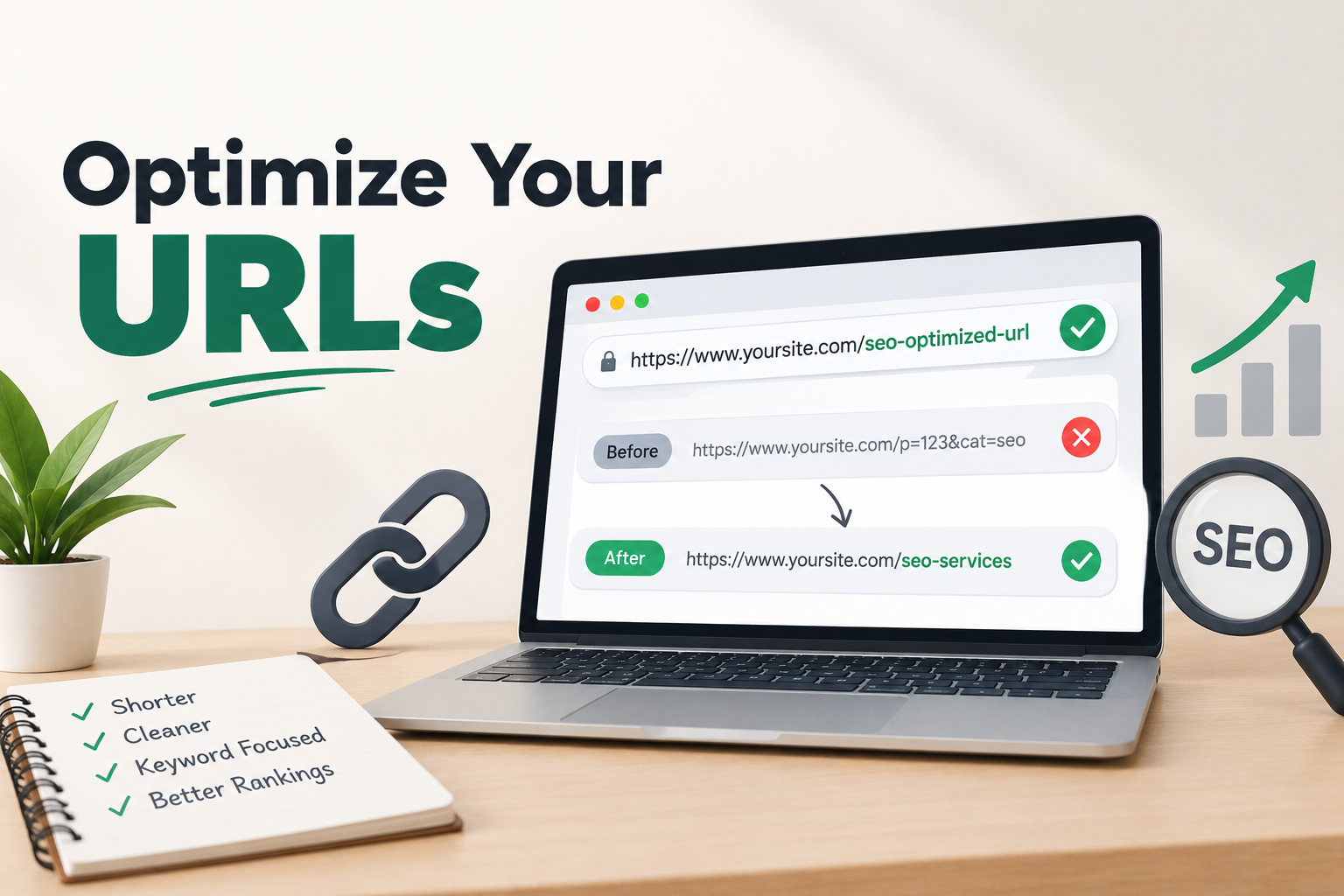
    7. Optimise Your URLs

    Your URL should clearly communicate the subject of the page.

    For example:

    `example.com/on-page-seo-guide/`

    is easier to understand than:

    `example.com/page123?id=4587`

    A good URL is generally:

    * Short
    * Descriptive
    * Easy to read
    * Relevant to the page
    * Free from unnecessary complexity

    Avoid changing URLs unnecessarily once pages are established. If you do change an important URL, make sure the appropriate redirects and internal links are handled properly.

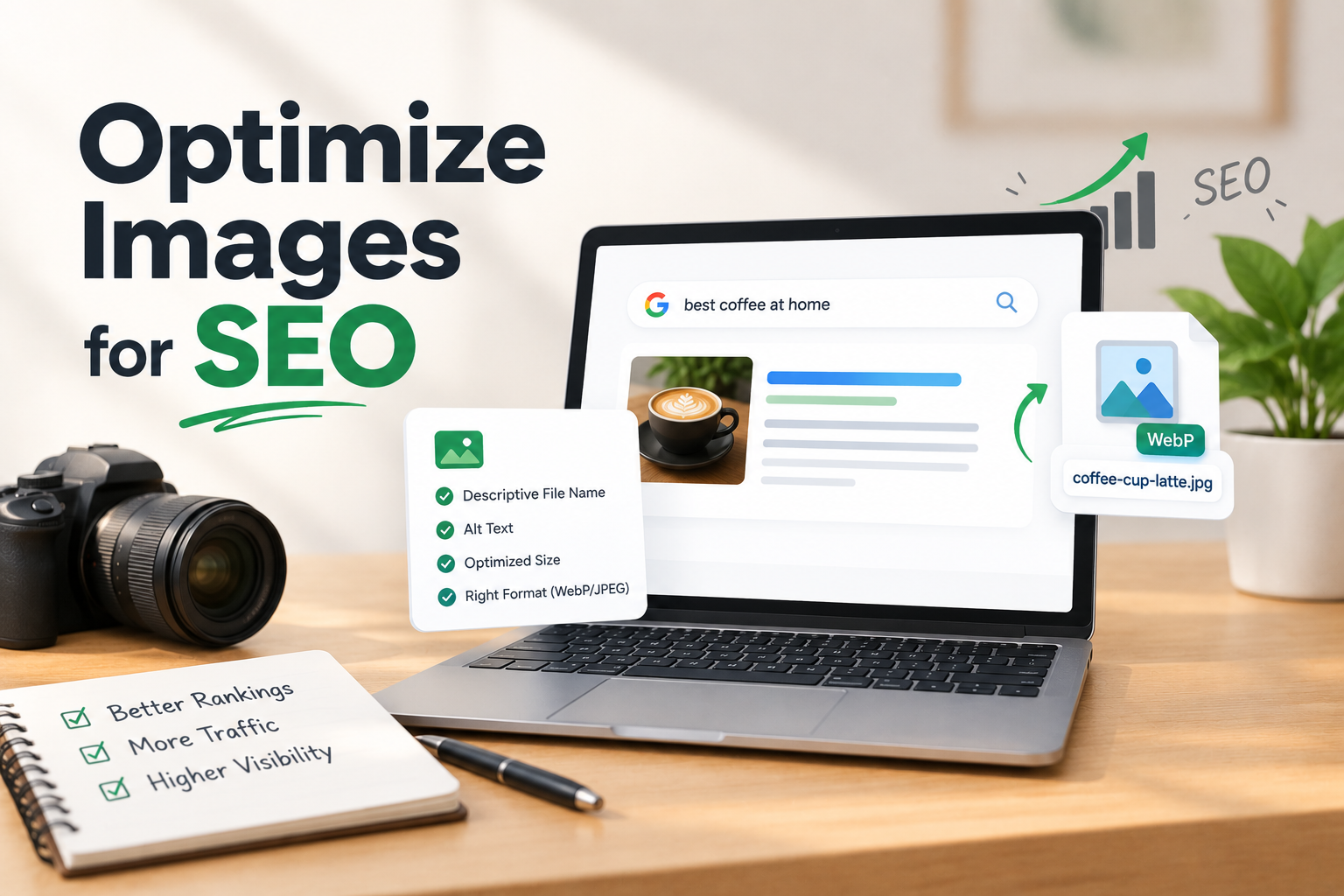
    8. Optimise Images for SEO

    Images can make your content more engaging, but they can also affect website performance if they are not optimised.

    Before uploading an image:

    * Resize it appropriately.
    * Compress it.
    * Use a suitable modern format where practical.
    * Give it a descriptive file name.
    * Add useful alt text when appropriate.

    For example, instead of:

    `IMG_2026_01.webp`

    You could use:

    `on-page-seo-optimization.webp`

    Alt text should describe the image accurately.

    For example:

    > On-page SEO optimization checklist

    Don’t use alt text simply as a place to insert keywords.

    9. Use Internal Links

    Internal links connect different pages on your own website.

    For example, this article about on-page SEO could link to related pages about:

    * SEO services
    * Local SEO
    * Website optimisation
    * Content marketing
    * Digital marketing

    Internal links help visitors discover related content and can help search engines understand your website’s structure and relationships between pages.

    Use descriptive anchor text rather than vague phrases such as “click here” whenever practical.

    For example:

    > Learn more about our local SEO services.

    is more descriptive than:

    > Click here to learn more.

    10. Improve Content Readability

    Even excellent information can be difficult to consume if the page is poorly formatted.

    Make your content easy to scan by using:

    * Short paragraphs
    * Clear headings
    * Bullet points
    * Numbered lists
    * Simple language
    * Relevant images
    * Adequate spacing

    Avoid creating huge blocks of text.

    Remember that many people read websites on mobile devices. Clear formatting can make a significant difference to their experience.

    11. Make Your Website Mobile-Friendly

    A large percentage of web users access websites through mobile devices.

    Your pages should therefore work properly on smartphones and tablets.

    Check that:

    * The text is readable.
    * Buttons are easy to tap.
    * Images fit the screen.
    * Navigation works properly.
    * Content doesn’t overflow horizontally.
    * Forms are easy to use.

    A page that looks excellent on a desktop but is difficult to use on a phone can create a poor user experience.

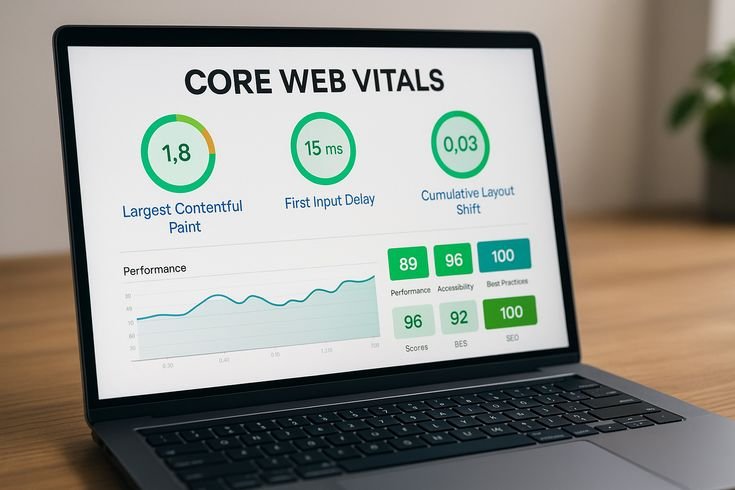
    12. Improve Page Speed

    Website performance is another important part of creating a good page experience.

    Large images, unnecessary scripts, poorly optimised themes, and excessive plugins can contribute to slow pages.

    Some practical steps include:

    * Compressing images
    * Using efficient image formats
    * Removing unnecessary scripts
    * Using browser caching where appropriate
    * Choosing reliable hosting
    * Keeping website code efficient

    You can use tools such as Google’s PageSpeed Insights to identify performance issues.

    However, don’t optimise for a score alone. The ultimate goal is to make the website faster and easier for real visitors to use.

    13. Optimise for User Experience

    SEO and user experience are closely connected.

    A visitor should be able to quickly understand:

    1. What the page is about
    2. What information is available
    3. What they should do next

    For a business website, this might mean having:

    * Clear service information
    * Strong calls to action
    * Easy navigation
    * Contact information
    * Trust-building content
    * Simple forms

    If visitors can easily find what they’re looking for, the website becomes more useful to both users and the business.

    14. Add Relevant External Links When Useful

    Internal links aren’t the only links that can improve content usefulness.

    When appropriate, you can link to trustworthy external sources that provide additional information.

    For example, an article discussing a Google product or official SEO guidance may link to the relevant official documentation.

    External links should be added because they help the reader, not simply because you want to create more links.

    15. Keep Your Content Updated

    SEO doesn’t end when you publish an article.

    Information can become outdated, especially in digital marketing.

    Review older content periodically and update:

    * Statistics
    * Examples
    * Screenshots
    * Broken links
    * Outdated strategies
    * Old tools
    * Incorrect information

    Updating useful content can make it more accurate and valuable for readers.

    Don’t update an article simply to change its publication date. Make meaningful improvements when they are needed.

    Common On-Page SEO Mistakes

    Many websites make simple mistakes that can reduce the quality of their pages.

    Keyword Stuffing

    Repeating keywords unnaturally can make content difficult to read.

    Duplicate Content

    Publishing substantially similar content across multiple pages can create confusion about which page should be shown.

    Poor Heading Structure

    Using headings randomly can make content harder to understand.

    Missing Alt Text

    Important images may lack useful descriptions for accessibility and context.

    Extremely Long Paragraphs

    Large blocks of text can make an article difficult to read, especially on mobile.

    Weak Internal Linking

    Important pages may become difficult for visitors and search engines to discover.

    Ignoring Mobile Users

    A website that doesn’t work properly on smartphones can create a poor experience.

    Writing Only for Search Engines

    Content should ultimately help people. SEO techniques should support that goal rather than replace it.

    On-Page SEO Checklist

    Before publishing a page, use this simple checklist:

    Content

    โ˜ Does the page satisfy search intent?
    โ˜ Is the content useful and original?
    โ˜ Is the topic explained clearly?
    โ˜ Are keywords used naturally?

    SEO Elements

    โ˜ Is the page title descriptive?
    โ˜ Is there a clear main heading?
    โ˜ Are H2 and H3 headings used appropriately?
    โ˜ Is the URL simple and relevant?
    โ˜ Is the meta description useful?

    Images

    โ˜ Are images compressed?
    โ˜ Are file names descriptive?
    โ˜ Is appropriate alt text included?

    Links

    โ˜ Are relevant internal links included?
    โ˜ Are useful external sources linked where appropriate?
    โ˜ Are there broken links?

    User Experience

    โ˜ Does the page work well on mobile?
    โ˜ Is the content easy to read?
    โ˜ Is navigation simple?
    โ˜ Does the page load efficiently?
    โ˜ Is the call to action clear where appropriate?

    Frequently Asked Questions About On-Page SEO

    1. What is On-Page SEO?

    On-page SEO is the process of optimizing website content, headings, images, and URLs to improve search engine rankings.

    2. Why is On-Page SEO important?

    On-page SEO helps search engines understand your content and improves website visibility and user experience.

    3. What are the main On-Page SEO techniques?

    Important techniques include keyword optimization, meta titles, meta descriptions, headings, image alt text, and internal linking.

    4. How do keywords help in On-Page SEO?

    Keywords help search engines understand your content and connect it with relevant user searches.

    5. How can I improve my On-Page SEO?

    Use relevant keywords, create helpful content, optimize images, improve page speed, and add internal links.

    Final Thoughts

    On-page SEO is the foundation of a well-optimized website. It involves much more than placing keywords inside an article. A successful page combines useful content, clear structure, relevant keywords, optimized images, descriptive URLs, internal links, mobile usability, and a positive user experience.

    The most effective approach is to optimize your website for people first and make it easy for search engines to understand the information you provide.

    If you’re a small business owner, blogger, freelancer, or digital marketer, start by auditing your most important pages. Improve the titles, headings, content, images, links, and overall experience one page at a time.

    On-page SEO is an ongoing process rather than a one-time task. As your website grows, continue reviewing your content, understanding your audience, and improving the pages that matter most.

    A well-optimized website doesn’t just help search engines understand your contentโ€”it helps the right people find it, understand it, and take action.

    AUTHOR : RINSHIDA

  • Off-Page SEO: A Complete Guide to Building Website Authority

    Off-Page SEO: A Complete Guide to Building Website Authority

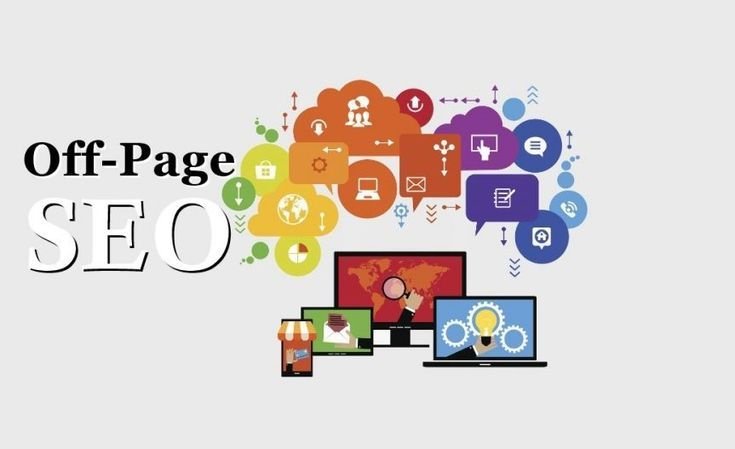
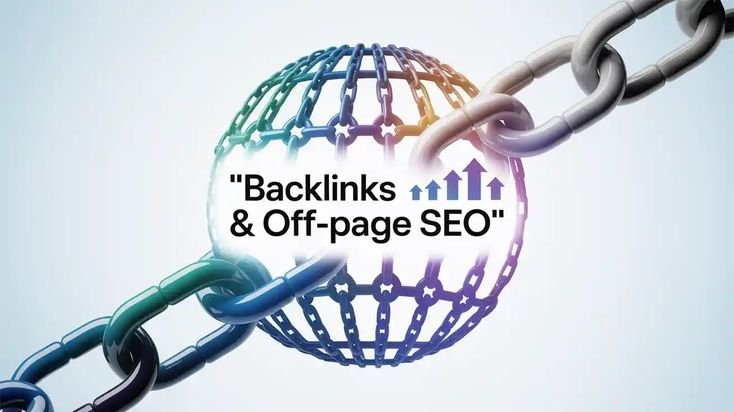
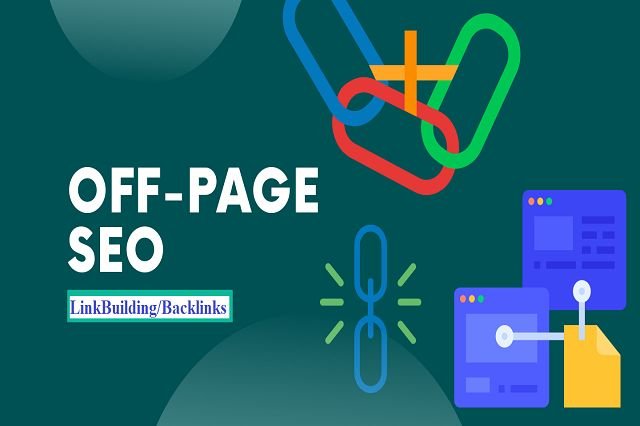
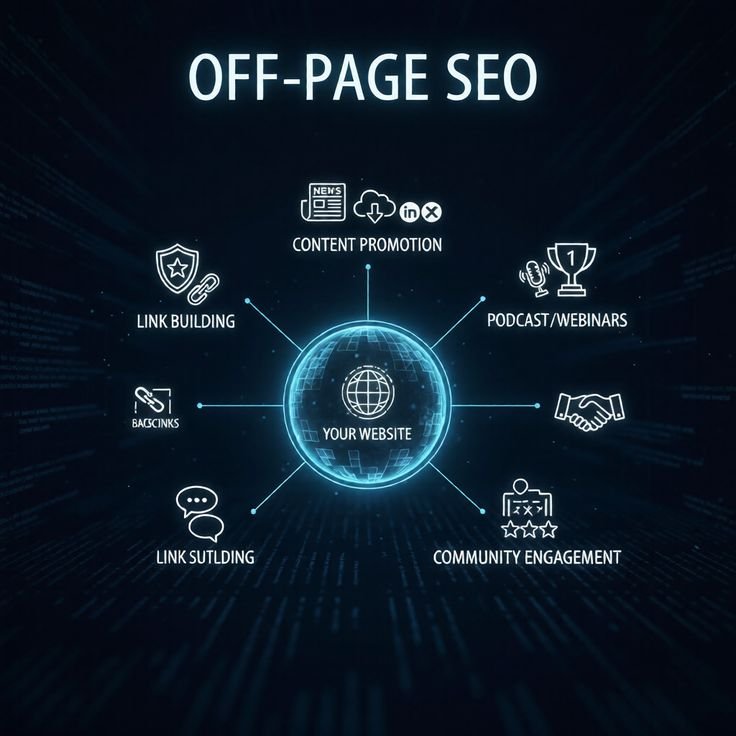
    Off-page SEO is an important part of search engine optimisation. While on-page SEO focuses on improving the content and elements on your website, off-page SEO focuses on activities that happen outside your website.

    The main purpose of off-page SEO is to build your website’s authority, reputation, trust, and visibility. Search engines can use signals from other websites and online platforms to better understand how valuable and trustworthy a website may be.

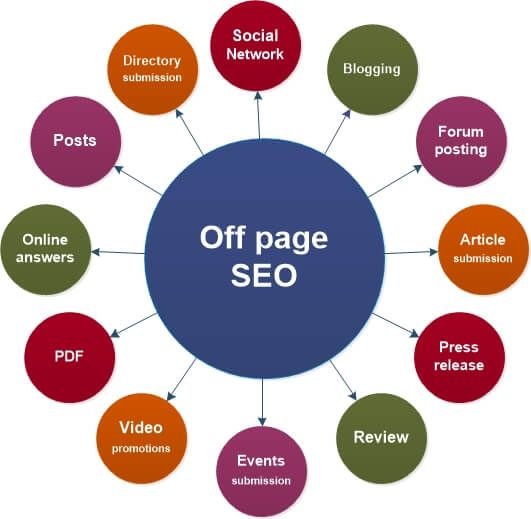
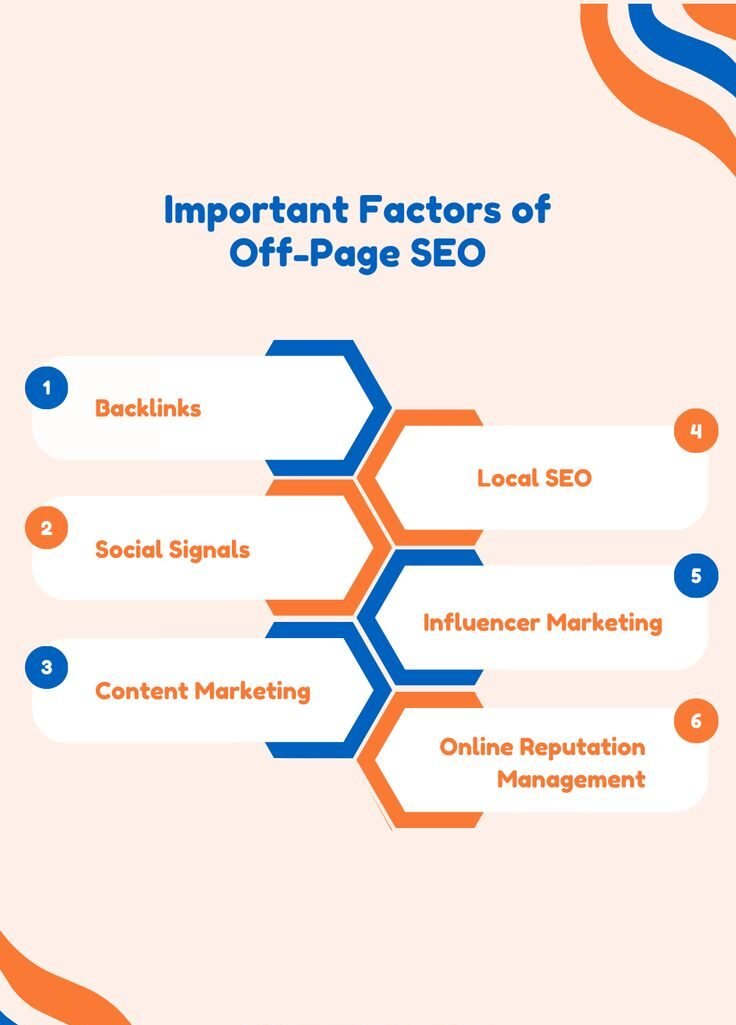
    Off-page SEO is not limited to getting backlinks. It can also include digital PR, brand mentions, local business promotion, reviews, social media activity, partnerships, and other ways of building your online presence.

    In this guide, we’ll explain what off-page SEO means, why it matters, important off-page SEO techniques, common mistakes, and how you can create a practical off-page SEO strategy.

    What Is Off-Page SEO?

    Off-page SEO refers to activities carried out outside your own website to improve its visibility and reputation in search engines.

    One of the best-known parts of off-page SEO is link building. When another relevant website links to your website, it can help search engines discover your pages and understand that other websites consider your content useful. However, off-page SEO is much broader than backlinks.

    It can include:

    * Link building

    * Digital PR

    * Brand mentions

    * Local citations

    * Customer reviews

    * Social media promotion

    * Guest contributions

    * Business listings

    * Influencer collaborations

    * Online community participation

    * Content promotion

    The goal is to build a stronger online reputation naturally.

    Why Is Off-Page SEO Important?

    Search engines don’t only look at what you publish on your website. They can also consider signals from other parts of the web.

    For example, imagine two websites publish useful articles about the same subject. One website is regularly mentioned by relevant websites and receives links from trusted sources. The other has almost no online presence outside its own website.

    The first website may have stronger authority signals.

    Off-page SEO can help you:

    * Build website authority

    * Increase brand awareness

    * Earn relevant backlinks

    * Generate referral traffic

    * Improve online reputation

    * Increase visibility

    * Reach new audiences

    * Support long-term SEO growth

    However, off-page SEO doesn’t guarantee higher rankings. Search engines use many different signals when evaluating search results.

    1. Build High-Quality Backlinks

    Backlinks are links from other websites pointing to your website.

    For example, if a marketing blog writes an article about SEO and links to your SEO guide, that link is a backlink.

    Backlinks can be valuable because they can:

    * Help users discover your website

    * Bring referral traffic.

    * Help search engines discover content

    * Strengthen your website’s authority when earned from relevant, trustworthy sources.

    The quality and relevance of a backlink matter more than simply collecting a large number of links.

    A few relevant links from respected websites can be more useful than hundreds of unrelated or low-quality links.

    2. Focus on Relevant Websites

    When building backlinks, relevance should be one of your priorities.

    Suppose you operate a digital marketing website. A link from a website that discusses business, marketing, SEO, entrepreneurship, or technology may be more relevant than a random link from an unrelated website.

    The link should make sense in the context of the content.

    Don’t chase every website that offers a backlink. Instead, look for websites where your content could genuinely provide value to their readers.

    3. Create Link-Worthy Content

    One of the best ways to earn backlinks is to publish content that people actually want to reference.

    Examples include:

    * Detailed guides

    * Original research

    * Case studies

    * Statistics

    * Industry reports

    * Useful checklists

    * Tutorials

    * Free resources

    * Original graphics

    For example, instead of creating a basic article titled “SEO Tips”, you could create a detailed SEO checklist for small businesses.

    If the resource is genuinely useful, other bloggers and businesses may naturally reference it.

    4. Guest Posting

    Guest posting involves contributing an article to another relevant website.

    For example, a digital marketer could write an educational article for a business or marketing website.

    A good guest post should provide real value to the host website’s audience. The goal should not simply be to place a backlink.

    When considering guest opportunities, check:

    * Website relevance

    * Content quality

    * Audience

    * Website reputation

    * Editorial standards

    Avoid websites that publish large amounts of unrelated, low-quality content simply to sell links.

    5. Digital PR

    Digital PR is another useful off-page SEO strategy.

    It involves promoting your expertise, business, research, or content to online publications and other relevant media.

    For example, you could:

    * Share original research

    * Offer expert opinions

    * Publish industry insights

    * Provide useful statistics

    * Participate in interviews

    * Contribute expert commentary

    Successful digital PR can generate brand awareness, referral traffic, and potentially valuable mentions or links.

    6. Build Your Brand Online

    People often search for brands directly after discovering them somewhere else.

    Building a recognisable online brand can therefore support your overall SEO strategy.

    You can strengthen your brand by maintaining a consistent presence across:

    * Your website

    * Social media

    * Business directories

    * Professional profiles

    * Industry websites

    * Online communities

    When people repeatedly encounter your brand in relevant places, they may become more familiar with your business.

    7. Social Media Promotion

    Social media isn’t simply a link-building tool.

    Its bigger value is helping you distribute your content and reach people who may eventually visit, share, mention, or link to your website.

    For example, after publishing an SEO guide, you could promote it through:

    * Instagram

    * Facebook

    * LinkedIn

    * X

    * YouTube

    * Relevant online communities

    Social platforms can help your content reach a wider audience.

    The more people who discover useful content, the more opportunities you have for natural mentions and referrals.

    8. Local Citations

    For local businesses, citations can be an important part of off-page SEO.

    A local citation is a mention of a business’s details on an online platform or directory.

    This may include information such as:

    * Business name

    * Address

    * Phone number

    * Website

    * Business category

    Examples include relevant business directories, local websites, industry directories, and other legitimate listing platforms.

    Make sure your business information is accurate and consistent wherever it is listed.

    9. Google Business Profile

    For businesses that serve a specific geographic area, maintaining a Google Business Profile can be an important part of local online visibility.

    Keep your profile information accurate and complete.

    You can provide:

    * Business name

    * Category

    * Address or service area

    * Phone number

    * Website

    * Business hours

    * Photos

    * Services

    * Updates

    Encourage genuine customers to leave honest reviews and respond professionally to feedback.

    A well-maintained business profile can help potential customers discover your business when searching locally.

    10. Customer Reviews

    Online reviews can influence how people perceive a business.

    Positive, genuine reviews can help build trust with potential customers.

    You can encourage satisfied customers to share honest feedback on relevant platforms.

    However, businesses should never create fake reviews or pay people to publish misleading reviews.

    When customers leave negative feedback, respond professionally and try to address the underlying problem.

    Your response can also show future customers that you take feedback seriously.

    11. Influencer and Industry Partnerships

    Network. Connection: Human hands are aesthetic on a light background, artwork. Concepts of human relation, community, symbolism, and surrealism. Contemporary art collage, modern design

    Collaborating with relevant creators, professionals, and businesses can help expand your online reach.

    For example, a digital marketing professional could collaborate with:

    * Business coaches

    * Web designers

    * Local entrepreneurs

    * Content creators

    * Marketing communities

    * Industry professionals

    The collaboration could involve an interview, webinar, podcast, article, social media discussion, or joint project.

    The most effective partnerships are based on relevance and mutual value rather than simply trying to obtain links.

    12. Participate in Online Communities

    Online communities can help you build relationships and demonstrate your expertise.

    Depending on your industry, these could include:

    * Professional forums

    * Reddit communities

    * Facebook groups

    * LinkedIn communities

    * Industry discussion platforms

    Don’t join communities simply to post links to your website.

    Instead, answer questions, share useful information, and participate in discussions.

    If your website contains a genuinely useful resource that answers someone’s question, you can share it when appropriate.

    13. Broken Link Building

    Broken link building is a technique where you identify relevant broken links on other websites and suggest a useful replacement resource.

    For example, suppose a marketing website has a broken link to an old SEO guide. If you have a useful and relevant guide that provides similar or better information, you could contact the website owner and suggest your resource.

    This approach can benefit both websites because the site owner gets an opportunity to fix a broken link, while your website may gain a relevant reference.

    14. Monitor Your Backlink Profile

    Building backlinks is only one part of off-page SEO. You should also monitor the links pointing to your website.

    Regularly review your backlink profile to understand:

    * Which websites link to you

    * Which pages receive links

    * Which topics attract backlinks

    * Whether your links are relevant

    * Whether unusual patterns appear

    Tools such as Google Search Console and other SEO platforms can help you analyze your website’s link profile.

    Don’t panic about every low-quality link. Focus on the overall quality and relevance of your backlink profile rather than trying to control every link on the internet.

    15. Avoid Black-Hat Link Building

    One of the biggest off-page SEO mistakes is trying to manipulate search rankings through unnatural link-building schemes.

    Avoid tactics such as:

    * Buying large quantities of backlinks

    * Automated link-building

    * Private link networks

    * Spammy directory submissions

    * Comment spam

    * Hidden links

    * Excessive exact-match anchor text

    * Mass-produced guest posts on unrelated websites

    These tactics may create short-term signals but can damage your website’s reputation and potentially lead to search engine actions.

    A safer approach is to focus on earning links through useful content, relationships, expertise, and legitimate promotion.

    16. Use Natural Anchor Text

    Anchor text is the clickable text used for a link.

    For example:

    > Learn more about local SEO services.

    “Local SEO services” is the anchor text.

    Don’t try to make every backlink use the exact same keyword.

    A natural backlink profile can contain different types of anchor text, including:

    * Brand names

    * Website names

    * Natural phrases

    * Page titles

    * Relevant descriptive terms

    The link should fit naturally within the surrounding content.

    Common Off-Page SEO Mistakes

    Focusing Only on Quantity

    Having thousands of poor-quality backlinks doesn’t automatically make a website authoritative.

    Ignoring Relevance

    Links from unrelated websites may provide little value.

    Buying Cheap Backlinks

    Cheap bulk backlink packages often involve low-quality or spammy websites.

    Creating Fake Reviews

    Fake reviews can damage trust and violate platform policies.

    Spamming Comments

    Leaving promotional links everywhere can hurt your reputation.

    Ignoring Brand Building

    Off-page SEO isn’t only about links. Building a recognizable and trusted brand matters too.

    Expecting Instant Results

    Off-page SEO usually requires time. Relationships, content promotion, mentions, and quality backlinks can take weeks or months to develop.

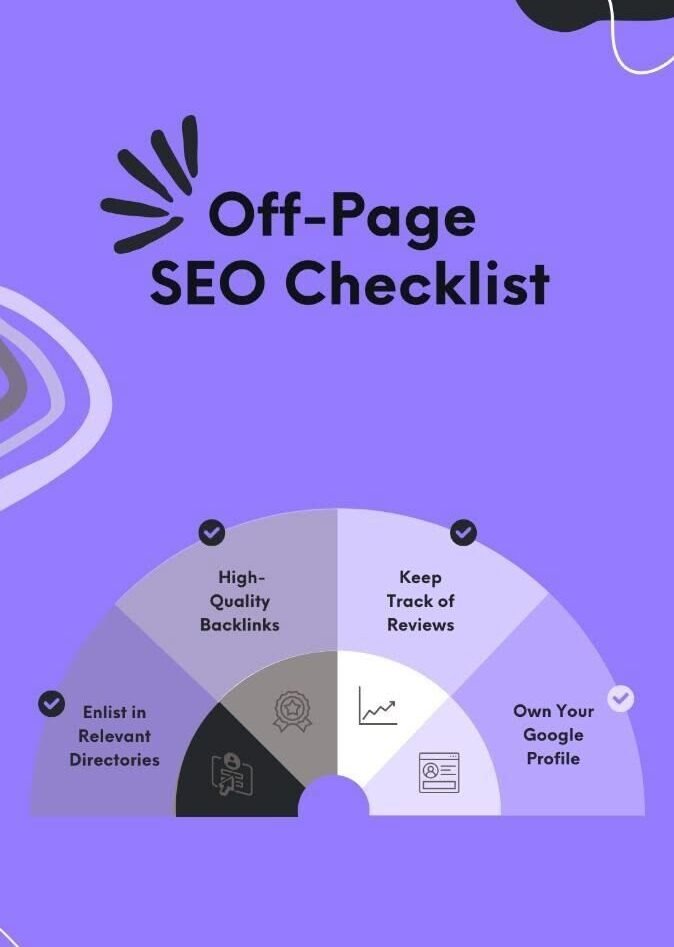
    How to Create an Off-Page SEO Strategy

    ย 

    A simple strategy can start with these steps.
    Step 1: Define Your Goals

    Decide whether you want to improve:

    * Brand awareness

    * Organic visibility

    * Referral traffic

    * Local visibility

    * Authority

    * Lead generation

    Step 2: Analyze Competitors

    Look at competitors in your industry and identify where they are being mentioned.

    You can study:

    * Their backlinks

    * Industry publications

    * Business directories

    * Partnerships

    * Content that attracts links

    Use this information for ideas rather than copying their strategy exactly.

    Step 3: Create Valuable Content

    Develop resources that other websites would genuinely want to reference.

    Step 4: Promote Your Content

    Share useful content through social media, communities, email, partnerships, and relevant outreach.

    Step 5: Build Relationships

    Connect with professionals, businesses, journalists, bloggers, and creators in your industry.

    Step 6: Track Results

    Monitor:

    * New backlinks

    * Referral traffic

    * Brand mentions

    * Search visibility

    * Local visibility

    * Organic traffic

    Use the data to improve your strategy over time.

    Off-Page SEO Checklist

    Before considering your off-page SEO strategy complete, check:
    โ˜ Are you earning relevant backlinks?

    โ˜ Are your backlinks coming from quality websites?

    โ˜ Are you creating useful, link-worthy content?

    โ˜ Are you promoting your content?

    โ˜ Is your business information consistent online?

    โ˜ Are you maintaining your local listings?

    โ˜ Are you collecting genuine customer reviews?

    โ˜ Are you building industry relationships?

    โ˜ Are you monitoring your backlink profile?

    โ˜ Are you avoiding spammy link-building methods?

    โ˜ Are you building your brand beyond your website?

    Frequently Asked Questions (FAQs)

    1. What is On-Page SEO?
    On-Page SEO is the process of optimizing website content, images, headings, and HTML elements to improve search engine rankings.

    2. Why is On-Page SEO important?
    It improves website visibility, user experience, organic traffic, and search engine understanding.

    3. How can I optimize my website for On-Page SEO?
    Optimize page titles, headings, keywords, meta descriptions, URLs, images, and internal links.

    4. How do I optimize images for SEO?
    Use descriptive file names, add relevant alt text, compress images, and choose suitable image formats.

    5. What are the common On-Page SEO mistakes?
    Common mistakes include keyword stuffing, duplicate content, missing alt text, poor heading structure, and weak internal linking.

    Final Thoughts

    Off-page SEO is about building a stronger reputation for your website beyond your own pages. Quality backlinks, brand mentions, digital PR, local citations, genuine reviews, social media promotion, and industry relationshipsย can all contribute to a stronger online presence.

    The most important thing to remember is that successful off-page SEO is not about collecting as many links as possible. It is about earning relevant, trustworthy, and meaningful signals from other parts of the web.

    Start by creating useful content, promoting it to the right audience, building genuine relationships, and maintaining a trustworthy online presence. Over time, these efforts can help your website become more visible, credible, and competitive in search results.

    Good off-page SEO doesn’t happen overnight. It is a long-term process of building trust, authority, relationships, and visibility across the web.

    AUTHOR: Rinshida

  • How to Improve Google Search Ranking

    How to Improve Google Search Ranking

    Tags :

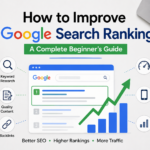
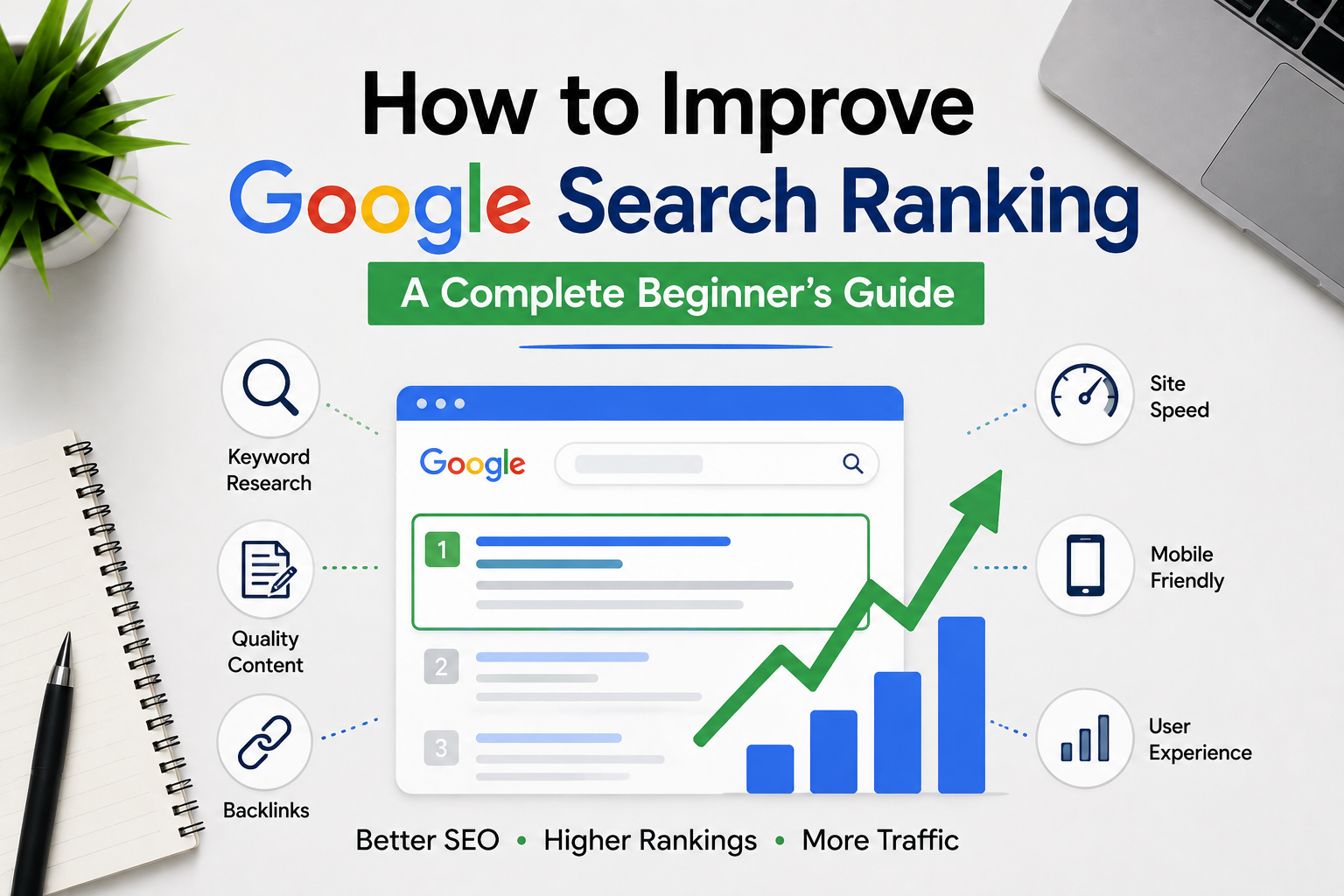
    How to Improve Google Search Ranking: A Complete Beginner’s Guide

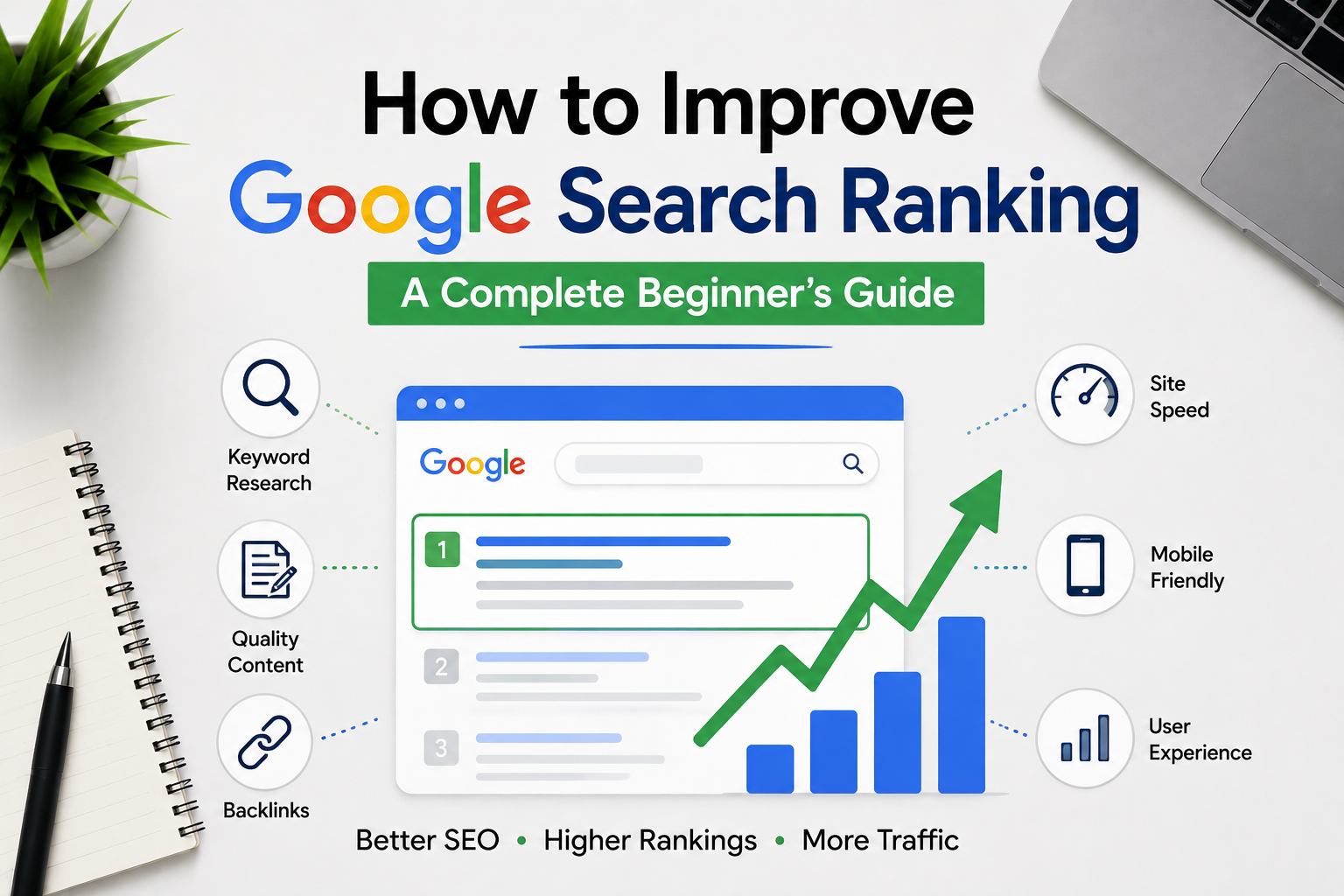
    Every website owner wants more people to discover their content through Google. Whether you run a personal blog, a business website, or an online store, appearing higher in search results can increase traffic, build trust, and create more opportunities for growth. That is why so many people search for *how to improve Google search ranking*.

    The good news is that you do not need shortcuts or expensive SEO software to achieve better rankings. Google mainly rewards websites that offer useful information, provide a great user experience, and answer visitors’ questions clearly.

    This guide explains *how to improve Google search ranking* using practical SEO strategies that continue to work in 2026. These methods are beginner-friendly, easy to understand, and focused on long-term success rather than quick fixes.

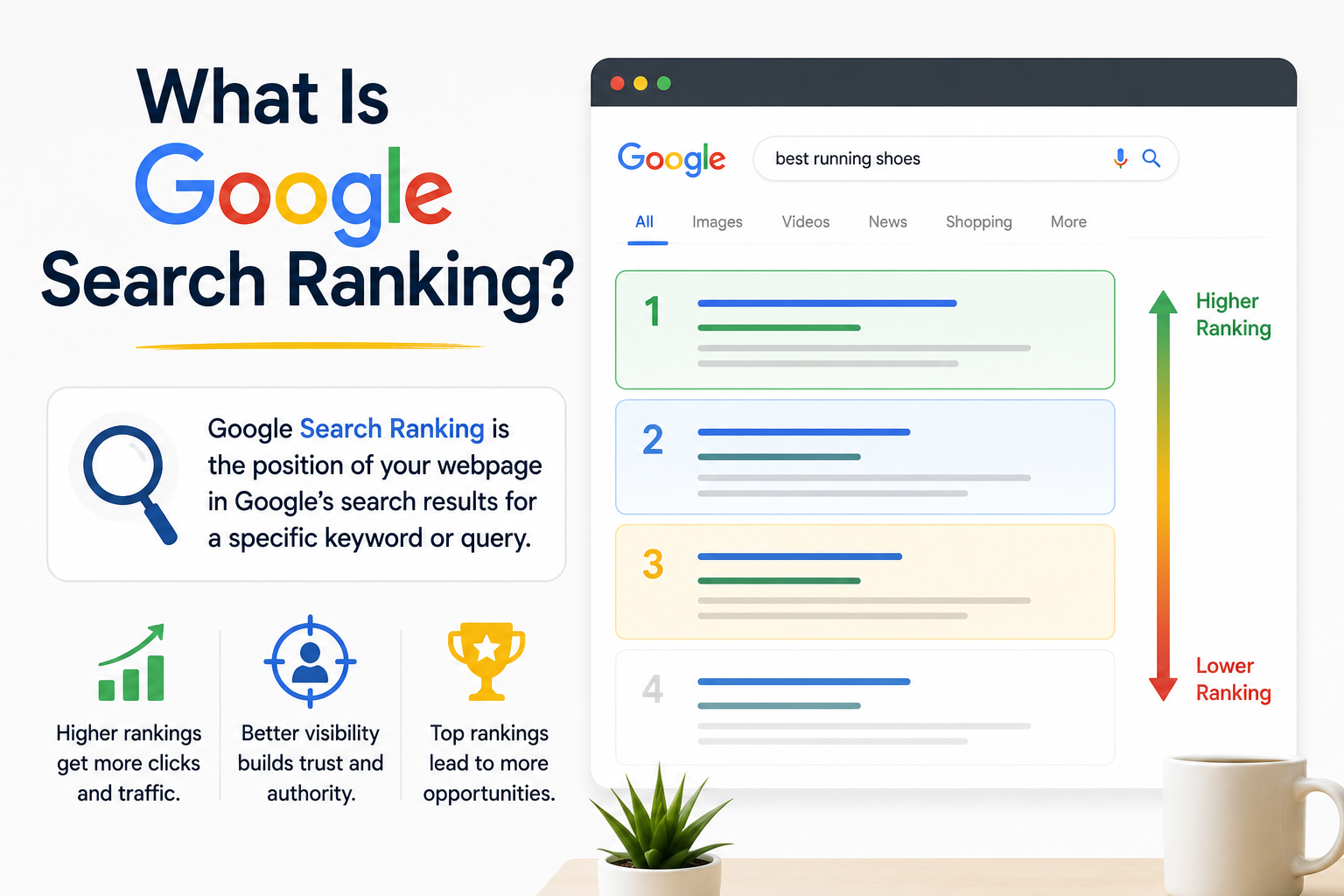
    What Is Google Search Ranking?

    How to Improve google search rankingGoogle search ranking refers to the position of a webpage in Google’s search results for a particular keyword or phrase. When someone searches online, Google’s algorithm evaluates millions of pages and displays the most useful and relevant results first.
    ย 

    For example, a website that appears in the top three search results is much more likely to receive clicks than a website listed on the second page. Better rankings usually lead to more visitors, which can increase enquiries, sales, and brand awareness.

    Understanding *how to improve Google search ranking* is important because organic traffic is one of the most valuable sources of website visitors.

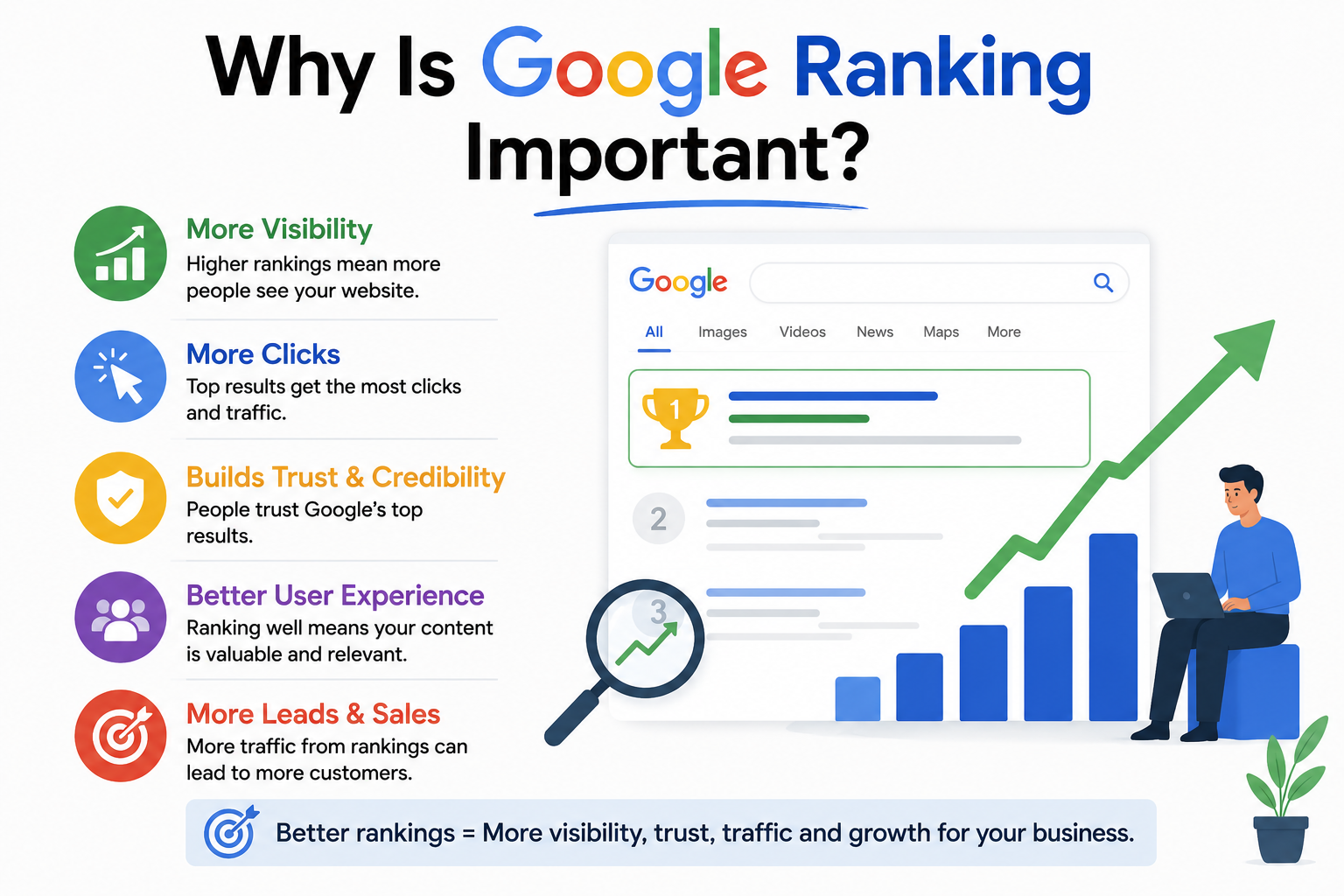
    Why Is Google Ranking Important?

    How to Improve Google Search Ranking

    A higher position in Google search results offers several advantages for businesses and content creators.

    Some of the biggest benefits include:

    * More organic visitors
    * Greater online visibility
    * Increased customer trust
    * Better lead generation
    * Improved brand recognition
    * Long-term marketing results without paying for every click

    These advantages explain why learning *how to improve Google search ranking* has become a priority for businesses of every size.

    1. Create Helpful and Original Content

    The foundation of successful SEO is creating content that genuinely helps your audience. If you want to learn how to improve Google search ranking, start by creating content that answers users’ questions and provides real value. Google’s goal is to recommend pages that solve problems accurately and deliver a great user experience.

    Instead of writing only to rank for keywords, focus on solving problems. Think about the information your readers are looking for and explain it in simple language. This approach not only builds trust with your audience but also helps improve your Google search ranking over time.

    Helpful content should:

    * Answer common questions
    * Be accurate and easy to understand
    * Offer practical solutions
    * Include updated information

    When readers spend more time on your page because your content is useful, Google receives positive signals that can improve your rankings.

    If you want to learn *how to improve Google search ranking*, publishing valuable and original content should always be your first step.

    2. Choose the Right Keywords

    Keywords help Google understand the topic of your webpage. If you want to know how to improve Google search ranking, choosing the right keywords is one of the most important steps. Selecting relevant keywords makes it easier for your content to reach the right audience and increases the chances of your pages appearing in relevant search results.

    Before writing, spend some time researching the words and phrases your potential visitors actually search for.

    Focus on:

    * Primary keywords
    * Long-tail keywords
    * Related search terms
    * User intent

    Use your main keyword naturally throughout your article instead of repeating it unnecessarily. A well-written article should sound natural while still making the topic clear to both readers and search engines.

    For example, if your target keyword is *how to improve Google search ranking*, include it where it fits naturally, such as in the introduction, headings, and conclusion.

    3. Write SEO-Friendly Titles

    Your page title is one of the first things people notice in Google search results. If you’re learning how to improve Google search ranking, creating a clear, relevant, and engaging page title is essential. A well-written title encourages users to click on your page instead of someone else’s, which can improve your visibility and attract more organic traffic.

    An effective SEO title should:

    * Include the primary keyword
    * Clearly explain the topic
    * Stay concise
    * Encourage curiosity without being misleading

    Example:

    *How to Improve Google Search Ranking: 12 Proven SEO Tips for Beginners*

    A well-written title can improve your click-through rate, which may also help your overall search performance.

    4. Improve Website Speed

    Visitors expect websites to load quickly. If you’re looking for how to improve Google search ranking, improving your website’s loading speed should be a top priority. When a webpage loads slowly, many visitors lose interest and leave before they have a chance to explore your content. A faster website provides a better user experience and can help improve your rankings in Google Search.

    A fast website creates a better experience for visitors and can positively influence your search rankings.

    Here are some practical ways to improve loading speed:

    * Compress large images
    * Remove unnecessary plugins
    * Choose reliable web hosting
    * Enable browser caching
    * Reduce unused CSS and JavaScript files

    Even small improvements in speed can make your website feel more responsive and enjoyable for users.

    5. Make Your Website Mobile-Friendly

    Today, most internet users browse websites on smartphones or tablets. If you want to learn how to improve Google search ranking, making your website mobile-friendly is essential. Google mainly evaluates the mobile version of a website when determining search rankings, so a responsive design that works well on all screen sizes can improve both user experience and search visibility.

    Your website should provide a smooth experience across all devices.

    Make sure it:

    * Adjusts automatically to different screen sizes
    * Uses readable fonts
    * Loads quickly on mobile networks
    * Uses buttons that are large enough for comfortable touch navigation.
    * Offers simple navigation

    A responsive design not only improves user satisfaction but also supports *how to improve Google search ranking* by meeting Google’s mobile-friendly expectations.

    6. Optimize Your Images

    Images make your articles more attractive and easier to understand. If you’re learning how to improve Google search ranking, optimizing your images is an important step that should not be overlooked. Using large or unoptimized images can slow down your website, which may affect both user experience and search rankings.

    Before uploading images, reduce their file size without losing quality. Give each image a meaningful file name instead of generic names like “IMG001.jpg.” Adding descriptive alt text also helps search engines understand what the image represents while improving accessibility for users who rely on screen readers.

    Modern image formats such as WebP can reduce loading time even further. Well-optimized images contribute to a faster website, and faster websites often perform better in Google Search, helping improve your overall search visibility.

    7. Use Proper Headings

    A well-organized article is easier for both readers and search engines to understand. If you want to know how to improve Google search ranking, using a clear heading structure is an important SEO practice. Headings divide your content into logical sections, making it easier to read and navigate.

    Use one H1 heading for the page title, H2 headings for the main topics, and H3 headings whenever you need to explain smaller points under each section.

    A logical heading structure helps visitors quickly find the information they need while making it easier for Google to understand the main topics covered on your page, which can improve your chances of ranking higher in search results.

    8. Build High-Quality Backlinks

    Backlinks are links from other websites that point to your content. If you’re wondering how to improve Google search ranking, earning high-quality backlinks should be part of your SEO strategy. These links act as recommendations, showing Google that your website provides valuable and trustworthy information.

    Instead of trying to collect hundreds of low-quality links, focus on earning backlinks from trusted and relevant websites. A few high-quality backlinks are often more valuable than many low-quality ones and can have a positive impact on your search rankings.

    Some effective ways to earn quality backlinks include:

    * Publishing detailed guides
    * Creating original research or case studies
    * Writing guest articles for reputable websites
    * Producing useful resources that others naturally want to share

    Avoid purchasing backlinks or using spammy link-building methods. These practices can hurt your website instead of helping it.

    9. Improve User Experience

    Google wants to recommend websites that visitors enjoy using. If you’re looking for how to improve Google search ranking, providing an excellent user experience should be a priority. If users leave your site immediately because it is confusing or difficult to navigate, your rankings may suffer over time.

    Create a clean, easy-to-use website with clear navigation, readable fonts, and well-organized content. When visitors can quickly find the information they need and enjoy browsing your website, they are more likely to stay longer, which can positively influence your search rankings.

    Creating a positive user experience does not require a complicated design. Sometimes the simplest improvements have the biggest impact.

    Consider these tips:

    * Keep menus simple and organized.
    * Use readable fonts and enough spacing.
    * Break long paragraphs into shorter ones.
    * Include bullet points where appropriate.
    * Avoid excessive pop-ups that interrupt visitors.

    When users stay longer, explore more pages, and easily find what they need, your website sends positive quality signals to Google.

    10. Update Old Content Regularly

    SEO is an ongoing process rather than a one-time project. If you’re learning how to improve Google search ranking, remember that regularly updating your website is just as important as creating new content. Information changes over time, and outdated content may gradually lose its ranking.

    Review your pages regularly, update outdated information, improve your content with fresh insights, and fix broken links when needed. Keeping your website accurate and up to date helps maintain its relevance and can improve your Google search rankings over the long term.

    Review your older articles every few months and look for opportunities to improve them.

    You can update:

    * Statistics and data
    * Examples
    * Images or screenshots
    * Broken links
    * Newly available information

    Refreshing existing content is often easier than creating a completely new article, and it can help your pages remain competitive in search results.

    Updating old articles is also an effective way to improve *how to improve Google search ranking* over the long term.

    11. Use Internal Links

    Internal links create connections between different pages on your website. If you want to understand how to improve Google search ranking, using internal links is an effective SEO strategy. They help visitors discover additional useful content while guiding search engines to crawl, understand, and explore your site’s structure more efficiently.

    By linking to relevant pages within your website, you improve navigation, keep visitors engaged for longer, and help distribute SEO value across your content. A strong internal linking strategy can improve both user experience and your website’s visibility in Google Search.

    For example, if you publish an article about keyword research, you can naturally link it to another article discussing on-page SEO or content optimization.

    Good internal linking offers several advantages:

    * Helps search engines discover more pages
    * Keeps visitors on your website longer
    * Improves navigation
    * Distributes authority across important pages

    A well-planned internal linking strategy creates a stronger website structure and improves the overall user experience.

    12. Write Better Meta Descriptions

    A meta description is the short summary displayed below your page title in Google search results. If you’re looking for how to improve Google search ranking, writing clear and compelling meta descriptions can help attract more visitors to your website.

    Although Google does not use meta descriptions as a direct ranking factor, an engaging description can encourage more people to click on your page. Higher click-through rates can increase your organic traffic and improve your website’s overall visibility in search results.

    A good meta description should:

    * Clearly explain the content
    * Include the primary keyword naturally
    * Stay within approximately 150โ€“160 characters
    * Encourage users to learn more

    Writing compelling descriptions can improve your click-through rate and bring more visitors to your website.

    13. Use Google Search Console

    Google Search Console is a free tool that provides valuable information about your website’s performance in Google Search.

    It allows you to monitor how your pages appear in search results and identify areas that need improvement.

    With Google Search Console, you can:

    * Check whether pages are indexed
    * Monitor search performance
    * Submit XML sitemaps
    * Identify crawling issues
    * Discover the keywords people use to find your website

    Reviewing this data regularly helps you make informed SEO decisions and improve your site’s visibility.

    14. Understand Search Intent

    One of the most important aspects of modern SEO is understanding why someone performs a particular search.

    Before creating content, think about the user’s goal.

    Ask yourself questions such as:

    * Are they searching for information?
    * Do they want to compare products?
    * Are they ready to buy a product or service?
    * Do they need step-by-step instructions?

    When your content closely matches what users expect to find, Google is more likely to rank it higher because it provides a better search experience.

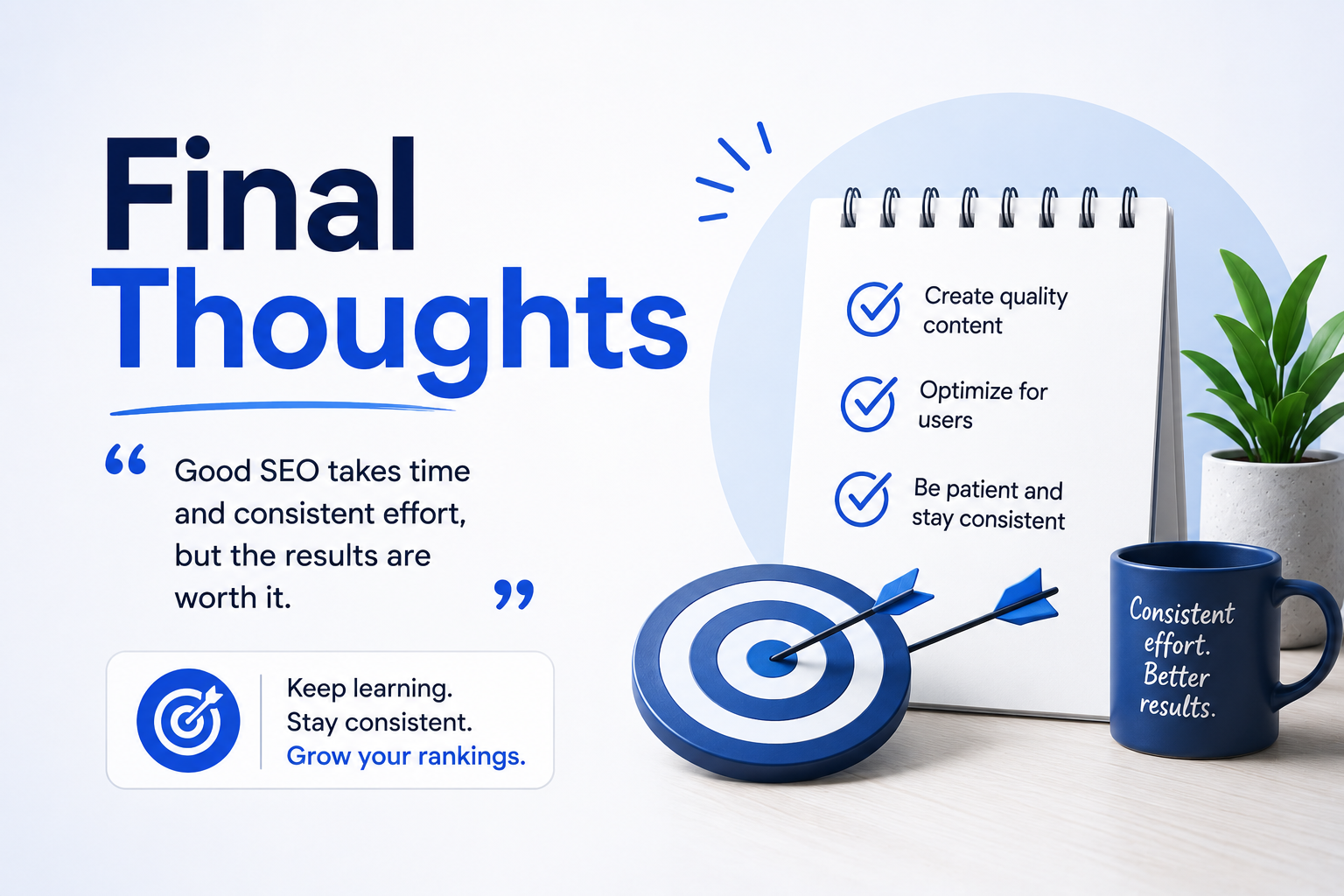
    15. Be Patient and Stay Consistent

    Many beginners expect SEO results within a few days or weeks. In reality, improving rankings usually takes time.

    Depending on your industry and competition, noticeable improvements may take several months.

    The key is consistency.

    Continue publishing useful content, improving your website, updating older pages, and following SEO best practices. Making steady improvements over time is usually more effective than looking for quick SEO tricks.

    If your goal is *how to improve Google search ranking*, patience and continuous improvement are two of the most important qualities you can have.

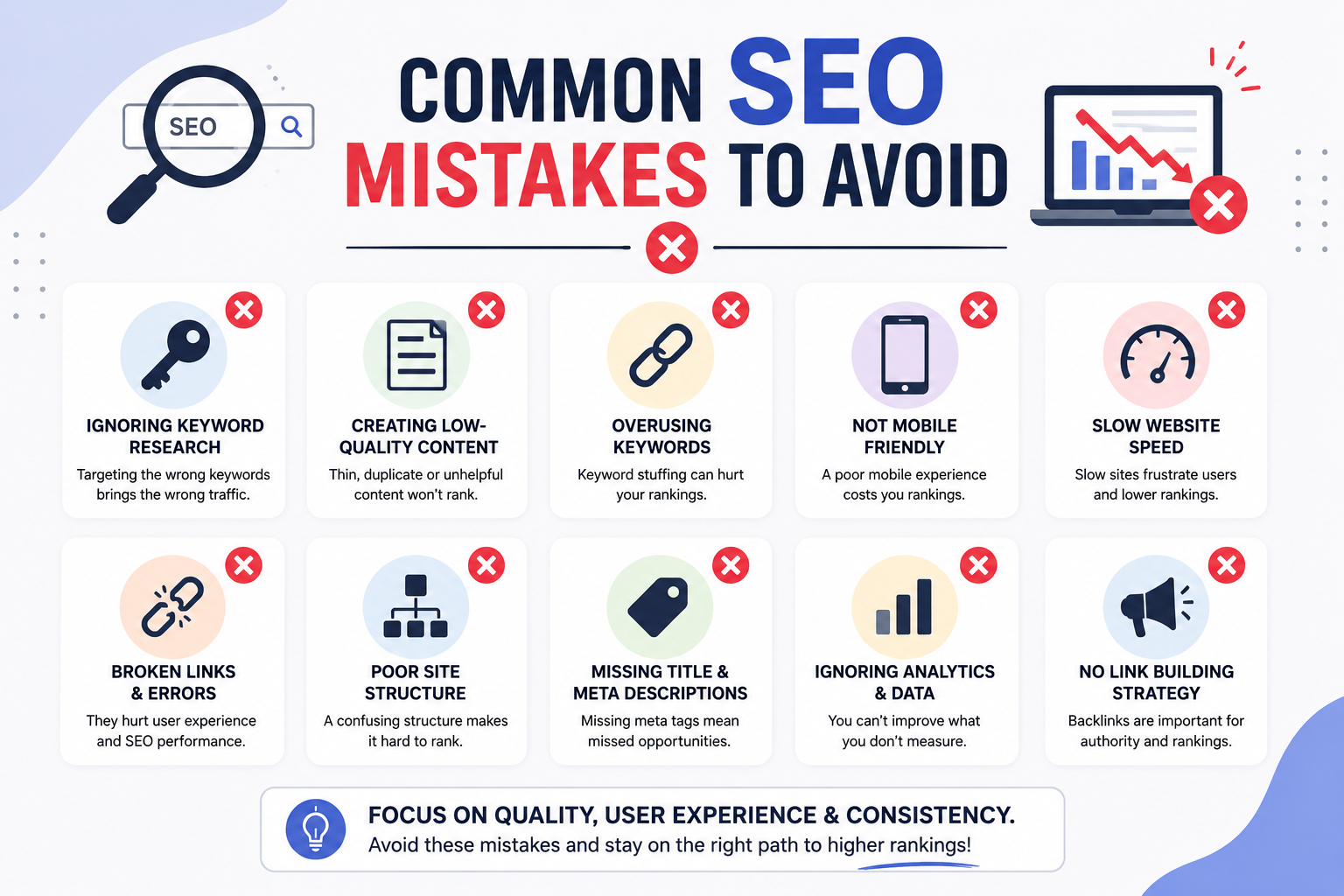
    Common SEO Mistakes to Avoid

    How to Improve Google Search Ranking

    Even a well-designed website can lose rankings if common SEO mistakes are ignored.

    Some of the most frequent mistakes include:

    *Publishing duplicate or copied content
    * Buying low-quality backlinks
    * Ignoring mobile optimization
    * Creating very short pages with little value
    * Allowing pages to load slowly
    * Leaving broken links unfixed
    * Forgetting image alt text
    * Complicated website navigation
    * Failing to update outdated content

    Avoiding these mistakes helps create a healthier website that is easier for both users and search engines to trust.

    Final Thoughts

    How to Improve Google Search Ranking

    Learning *how to improve Google search ranking* is an ongoing journey that requires planning, consistency, and a focus on providing value. Google rewards websites that answer users’ questions clearly, offer reliable information, and deliver a smooth browsing experience.

    Rather than looking for quick SEO tricks, invest your time in creating original content, choosing the right keywords, improving website speed, optimizing images, and building a website that visitors genuinely enjoy using.

    As your content library grows, continue updating older articles, strengthening internal links, and monitoring your site’s performance through Google Search Console. These simple habits can gradually improve your visibility and attract more organic traffic.

    Remember that SEO success rarely happens overnight. With patience and consistent effort, your website can earn higher rankings, attract the right audience, and achieve sustainable growth. Following the strategies in this guide will help you understand *how to improve Google search ranking* while building a website that both users and search engines trust.

    Author : ATHUL KRISHNA P.S

    Digital Marketing Freelancer dedicated to boosting brands with SEO, engaging content, and performance-focused online marketing strategies.

    Learner ofย DigiSkillz, Digital Marketing Course in Kochi.

    Freelance Digital Marketer in Vaduthala

Call Now Button